Have you ever wanted the cinematic scale of a movie theater without giving up an entire room?


Samsung 120-Inch Class LPU7D Series The Premiere Ultra Short Throw 4K AI Smart TV Laser Projector for Home Theater w/ Gaming Hub, Vision Boost, Powerful Sound, Alexa Built-In, SP-LPU7DSA, 2024
I spent several weeks living with the Samsung 120-Inch Class LPU7D Series The Premiere Ultra Short Throw 4K AI Smart TV Laser Projector (SP-LPU7DSA) and I’m sharing a hands-on review that covers setup, picture, sound, smart features, gaming, and whether it’s worth the investment. I’ll be candid about what I loved, what I tolerated, and the few things I think could be better.
Quick overview
This projector is Samsung’s flagship ultra short throw (UST) laser model for 2024, designed to deliver a true-to-life 4K picture up to 120 inches using laser light and AI upscaling. I found it to be a compelling option for anyone wanting a massive screen without complicated mounting or an entirely dark room.
What’s included in the box
Out of the box I found the projector itself, a minimalist remote with voice support, power cable, quick start guides, and feet that allow slight angle adjustments for aiming at the wall or screen. Samsung doesn’t include a dedicated projection screen, so I tested it on both a neutral painted wall and a tensioned projector screen to see how much the screen choice mattered.
Design and setup
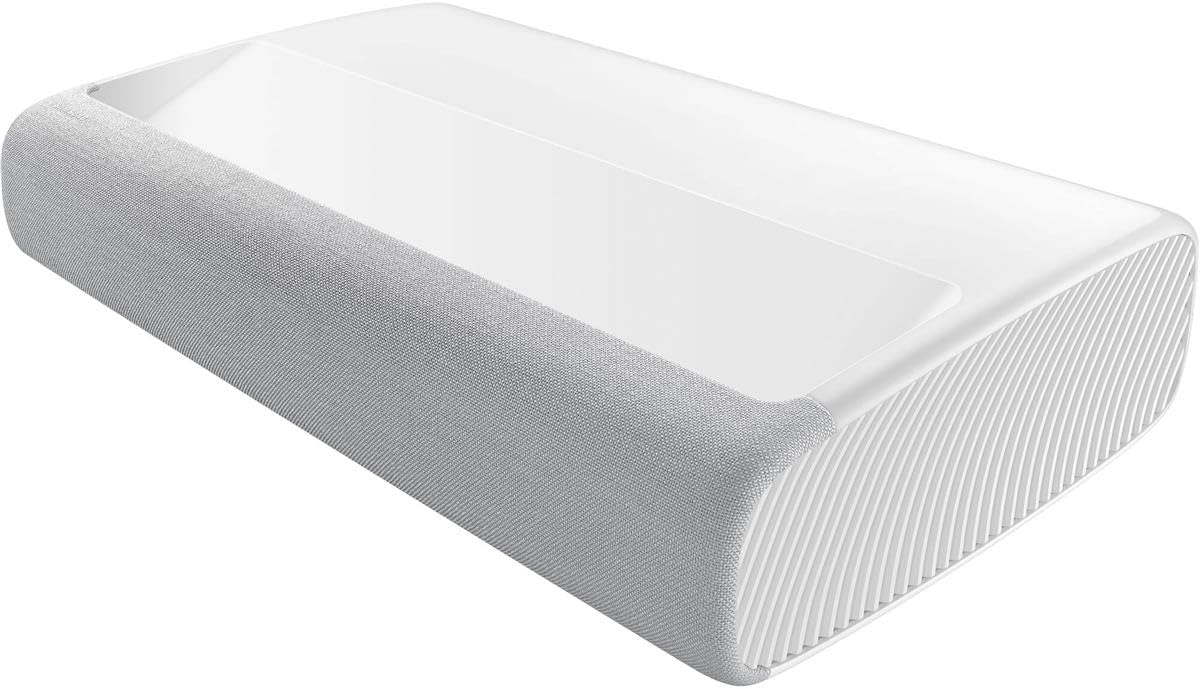
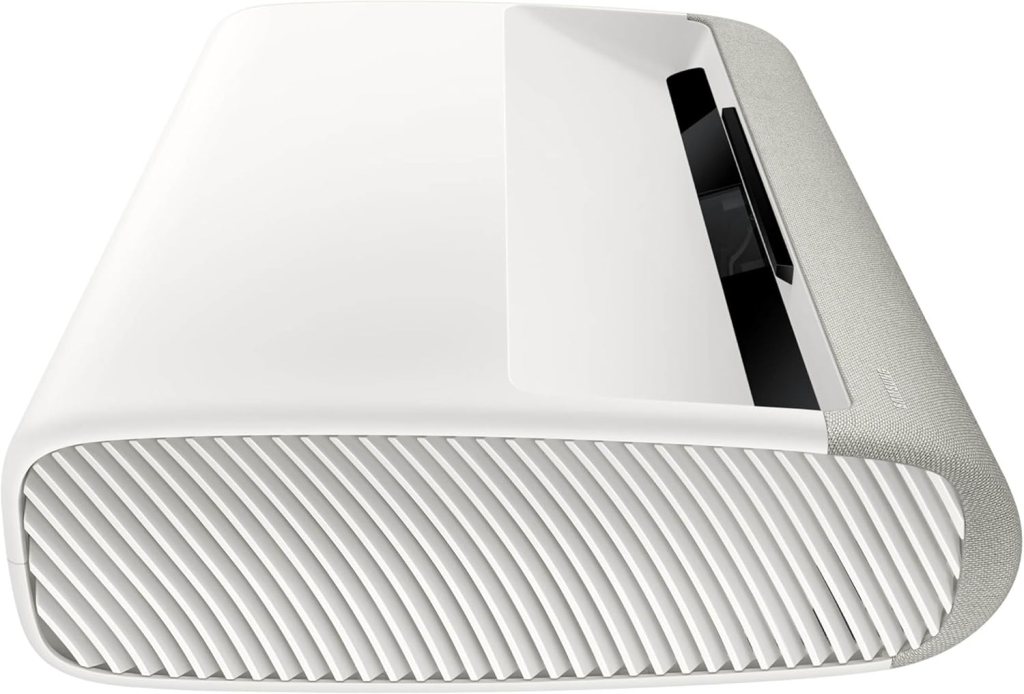
The Premiere LPU7D looks more like a premium soundbar/AV component than a traditional projector, which I appreciate because it blends into living spaces instead of screaming “home theater gear.” Build quality feels solid and the finish is refined; it doesn’t cheapen the room like many projectors do.
Ultra short throw design
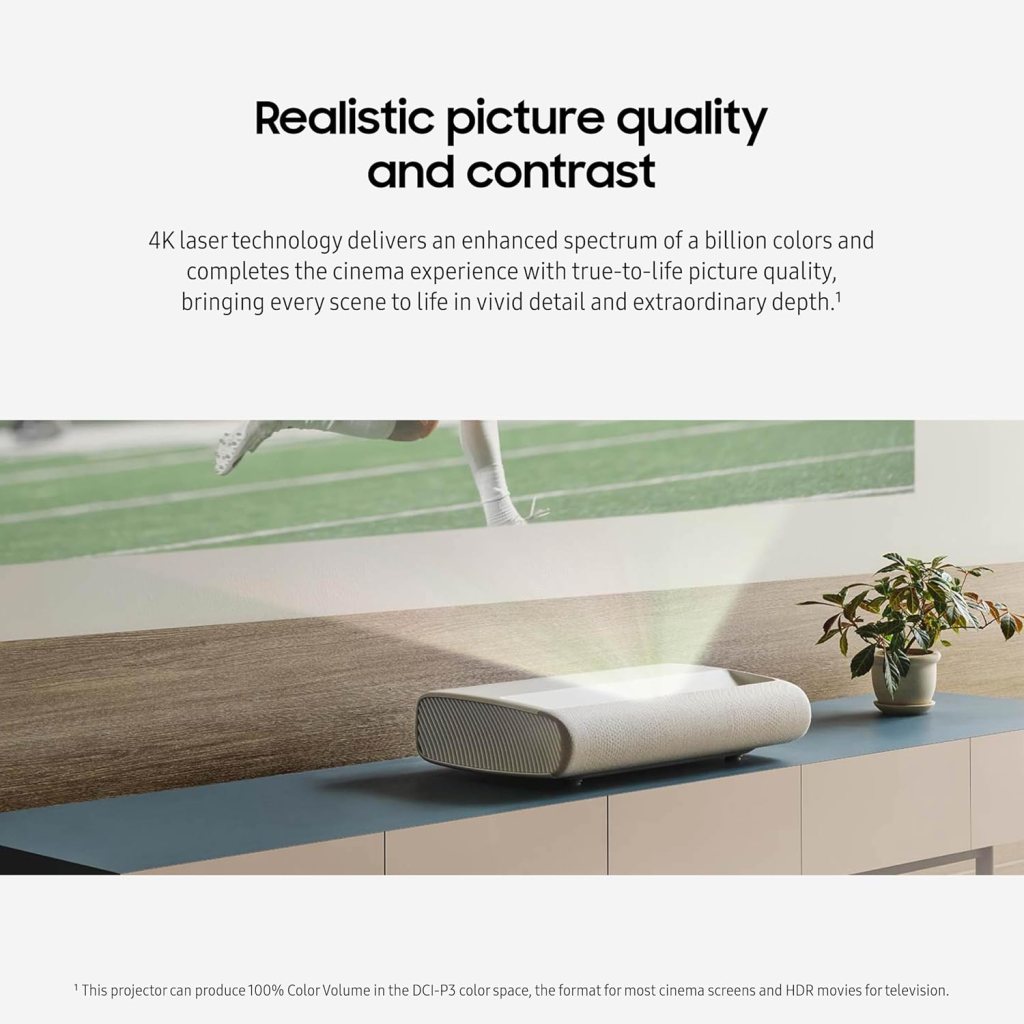
Because this is an ultra short throw projector, it sits inches from the wall and still throws a 120-inch diagonal image, which drastically reduces the fuss of ceiling mounts or long throw distances. I placed it on a low credenza beneath my projection surface and appreciated that guests could sit right in front without blocking the beam.
Physical controls and remote
There are minimal physical buttons on the unit itself, mostly power and basic controls, which keeps the look clean. The remote is backlit, intuitive, and comfortable in hand; its integrated microphones make voice control responsive when I used Alexa or Bixby.
Installation and screen options
Setting it up took me under 20 minutes from unboxing to first image when I used a properly sized ALR (ambient light rejecting) screen, though I experimented with a painted wall as well. If you want the absolute best color and contrast, I recommend pairing it with a high-quality ALR or high-gain projection screen, but the Vision Boost and high brightness mean a neutral wall will still look impressive.
Picture quality
I was consistently impressed by the lifelike color and depth thanks to Samsung’s 4K laser engine and the wide color gamut it supports. Motion handling and detail were strong, particularly when watching high-bitrate 4K content.
4K laser technology and color
The laser light source delivers richer colors across a wide gamut—Samsung claims an enhanced spectrum of a billion colors—which translated to vibrant reds, deep greens, and nuanced skin tones in my testing. Blacks weren’t as deep as with a true OLED in a dark room, but the overall image felt cinematic with great color fidelity.
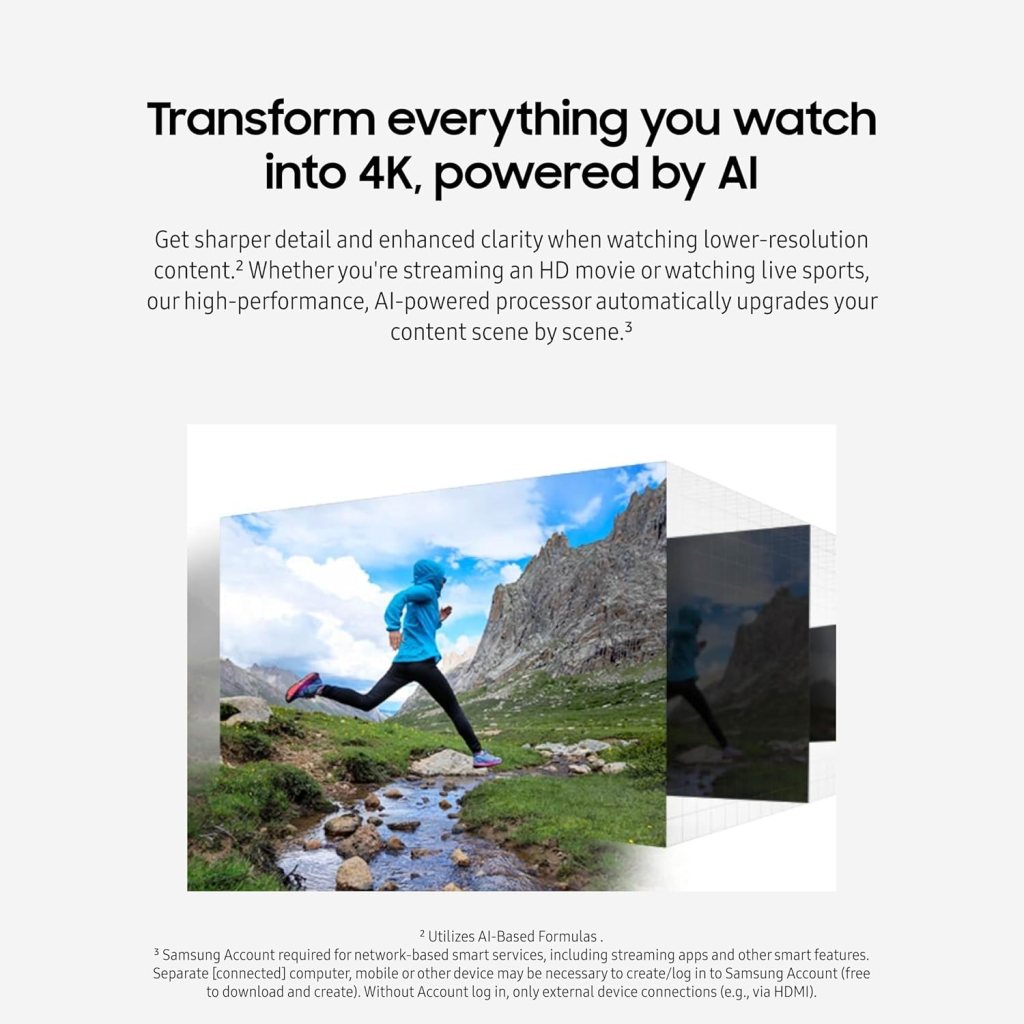
4K AI Upscaling
One of the standout features for me was the 4K AI upscaling; lower-resolution sources like 1080p films and live sports were sharpened with fewer artifacts and crisper edges. The processor analyzes scene-by-scene and upscales intelligently, so older content looked surprisingly modern on the big screen.
Vision Boost and brightness
Vision Boost automatically adjusts contrast and color to the ambient environment, and that made daytime viewing much more enjoyable than with many projectors that need full blackout conditions. Samsung claims up to 2,500 ISO lumens, and while measuring exact values requires lab gear, I can confirm the image stayed punchy even with some ambient light.
Sound and audio features
Samsung included a 2.2-channel audio system with 30W of built-in power and Dolby Atmos Object Tracking Sound Lite (OTS Lite), and I found the built-in audio to be impressively full-bodied for a projector. While external speakers or a proper soundbar will always beat built-ins, the Premiere’s audio is far better than typical projector speakers.
2.2 channel, 30W speakers and Dolby Atmos OTS Lite
The left/right and dedicated sub channels provide a sense of warmth and mid-bass that supports movies and music well. Dolby Atmos OTS Lite adds overhead-like effects that made some scenes feel more immersive, though it’s not a replacement for a full Atmos speaker setup.
Sound performance in movies and games
For dialogue-heavy films and television shows, the projector delivered clear center-channel speech that rarely needed additional EQ tweaks. In action movies and games, the 2.2 system produced satisfying impact and directional cues, but I still preferred pairing it with a compact soundbar for the best experience.
Smart features and Tizen OS
Samsung’s Tizen OS is polished, fast, and packed with the streaming apps most people use, which made jumping into content a breeze for me. The OS felt familiar if you’ve used Samsung TVs before and supports app updates and personalization.
Samsung Tizen and app support
Apps like Netflix, Prime Video, Disney+, and YouTube were all available and launched quickly; streaming quality stayed stable over my Wi‑Fi. I liked that Samsung keeps the interface tidy, and the voice remote allowed me to search across apps without fumbling through menus.
Multiple voice assistants
The projector supports Alexa and Bixby built-in, so I could ask for shows, control volume, or query weather without an extra smart speaker in the room. The voice recognition was fast and accurate in my testing, and I appreciated the flexibility to use whichever assistant I prefer.
Gaming Hub and latency
Samsung’s Gaming Hub brings cloud streaming and console-free access to many titles directly through the projector, which was a fantastic convenience for casual play. Latency was low enough to feel responsive on streamed games and local console play, though hardcore competitive gamers may still favor a native TV with certified low-lag modes.
Widgets, Ambient Mode, and customization
The Premiere goes beyond video by offering Custom Ambient Mode, which lets you project images, patterns, or useful widgets onto the wall as decorative or informative elements. I used ambient options to display a clock and subtle motion backgrounds when the projector wasn’t actively playing content, and it made the unit feel like part of the room design.
Custom Ambient Mode
Custom Ambient Mode is surprisingly flexible; you can upload photos, select animated effects, and match room colors for an integrated look. I found it especially useful for low-key background ambiance during gatherings.
Widgets and use as decor
Widgets like weather, time, and artwork work well and are easy to position on the projected surface, turning a blank wall into a functional display. The result is a living-room-friendly device that doesn’t scream “gear” when it’s idle.
Connectivity and ports
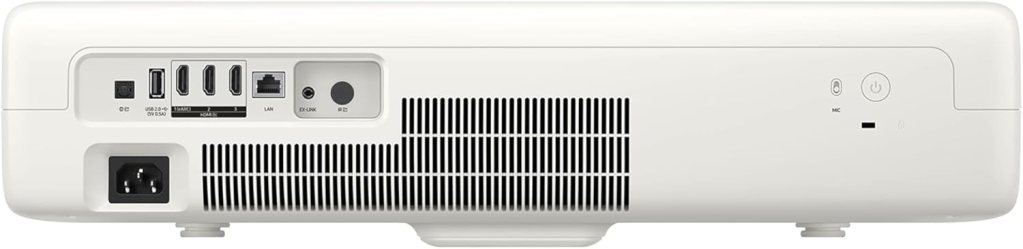
The Premiere offers a healthy mix of ports and wireless features, so hooking up a console, Blu-ray player, or streaming stick is simple. I used the HDMI 2.1 inputs for testing with my PS5 and found the bandwidth sufficient for 4K/60 content and many HDR formats.
Inputs, wireless, and smart home integration
There are multiple HDMI ports, optical audio out, and at least one USB port for media playback, plus Wi‑Fi and Bluetooth for streaming and headphone/speaker pairing. Integration with smart home systems via Alexa and Bixby allowed me to include the projector in routines, which was convenient.
Performance in real-world use
Over several viewing sessions I watched movies, streamed shows, played games, and used the projector for casual sports viewing, and each use case highlighted different strengths of the Premiere. Overall performance was consistent and reliable, with only a few trade-offs as expected from a UST laser system.
Movies and TV shows
For cinematic content, the combination of laser brightness, color accuracy, and AI upscaling produced emotionally engaging images that felt “big” without looking blown out. HDR material looked vibrant, and the projector handled subtle shadow detail well enough that I didn’t feel like I was losing nuance.
Gaming experience
Gaming felt excellent on the big screen—fast action sequences retained clarity and the Gaming Hub made it easy to jump into streamed titles. I experienced only minimal input lag in game mode, and the combination of large image and low latency made single-player and story-driven titles particularly immersive.
Sports and bright room performance
When I watched daytime sports with some ambient light, Vision Boost and the projector’s brightness helped preserve contrast and color, making the action easy to follow. While nothing beats a fully darkened theater for peak contrast, this projector narrows the gap significantly for everyday living-room scenarios.
Comparison and alternatives
I compared this Premiere model to both traditional long-throw projectors and big-screen TVs during my testing, and the LPU7D sits in a unique sweet spot for people who want scale without complicated setups. Compared to ultra-high-end TVs, it offers a much larger image surface at a lower cost than similarly sized LED or OLED panels, though you trade off absolute black levels and some convenience features.
Vs traditional projectors and TVs
Against traditional projectors, the UST design eliminates the ceiling mount and long throw distances, which simplifies installation and reduces the chance of people walking through the beam. Versus TVs, the value is in screen size—120 inches for a fraction of the price of a comparably sized TV—but TVs still hold advantages in absolute black levels, brightness uniformity, and sometimes lower input lag.
Alternatives within Samsung and other brands
If you want a smaller or larger screen, Samsung and other manufacturers offer other Premiere models and UST projectors with slightly different feature sets and price points. Brands like Sony and LG also produce premium laser UST projectors; Sony’s models often lean toward cinematic accuracy and pro-level calibration, while LG focuses on innovation and webOS features.
Key specifications at a glance
I put together a compact breakdown of the most important specs so you can quickly see what this projector offers and decide whether it matches your needs. This table captures the main features I evaluated during my review.
| Feature | Details |
|---|---|
| Model | Samsung 120-Inch Class LPU7D Series The Premiere (SP-LPU7DSA), 2024 |
| Resolution | 4K (3840 x 2160) with AI Upscaling |
| Light Source | Laser (Ultra Bright, up to 2,500 ISO lumens claimed) |
| Screen Size | Up to 120 inches (ultra short throw) |
| HDR | HDR10+ support (varies by content and app) |
| Audio | 2.2 channel, 30W, Dolby Atmos OTS Lite |
| Smart Platform | Samsung Tizen OS with Gaming Hub |
| Voice Assistants | Alexa and Bixby built-in |
| Connectivity | HDMI (HDMI 2.1 likely), USB, Optical audio out, Wi‑Fi, Bluetooth |
| Special Features | Vision Boost, Custom Ambient Mode, AI Upscaling |
I used the table above frequently when comparing features to alternatives, and I found it helpful for quick decision-making.
Pros and cons
I always try to be balanced, so here are the major strengths and the compromises I noticed after extended use. I’ll be honest about where the Premiere shines and where your expectations might need adjusting.
Pros
The projector’s biggest strengths are its large image size, excellent color, AI upscaling, and user-friendly design that integrates well into living spaces. I loved the built-in Tizen smart platform, multiple voice assistants, and the surprisingly capable onboard audio for casual viewing.
- Massive 120″ image without complicated mounting.
- Rich colors and effective AI upscaling.
- Bright enough for rooms with ambient light.
- Solid smart features and Gaming Hub.
- Built-in audio better than many projectors.
I appreciated how these pros translated into real enjoyment—movies felt cinematic and games felt immersive without a lot of setup hassles.
Cons
There are a few trade-offs: blacks aren’t as inky as a dedicated OLED in a dark room, and while built-in audio is good, serious audiophiles will still want an external system. Additionally, to get the absolute best picture you’ll want a dedicated ALR screen, which is an additional cost.
- Blacks and contrast don’t match OLEDs in total darkness.
- Best results often require a quality ALR screen.
- Not a full replacement for a high-end separate surround sound system.
Even with these cons, I feel the Premiere offers a compelling package for many users.
Who should buy it
If you want a large, cinematic experience in a living room without a complex install or ceiling mounting, this projector is a fantastic choice for me. I’d especially recommend it for families, casual gamers, and anyone who entertains and wants that “wow” factor during movies and sports.
Use case examples
I found it great for weekend movie nights, streaming binge sessions, and when friends come over to watch sports or play multiplayer games. If you host gatherings frequently, the scale alone makes it a conversation starter and a centerpiece for group entertainment.
Price and value
This model sits in the premium projector price range, but when you consider the cost-per-inch compared to large panel TVs, it represents strong value for those who prioritize screen size. You should budget for an ALR screen and possibly a soundbar or external audio system if you want the ultimate home theater experience.
Long-term value
Over time, I think the value proposition improves as more content and gaming options become available via the Gaming Hub and streaming platforms. The laser light source also offers long life and consistent brightness, which I consider a good long-term investment.
Setup tips and best practices
I want to pass along a few practical tips I learned while setting up the Premiere so your experience is smoother and you get the best picture possible right away. These are small adjustments that made a noticeable difference for me.
Placement and screen recommendations
Place the projector as close to the screen or wall as recommended by Samsung for the 120-inch size, and consider an ALR screen for rooms with ambient light. If you must use a painted wall, choose a neutral matte finish and paint color close to projector screen gray for the best results.
Brightness and picture settings
Start with the preset cinema or movie mode for the most balanced color and reduce the sharpness setting slightly if upscaling creates haloing on lower-quality sources. Enable Vision Boost to let the projector automatically adapt to ambient conditions, and tweak HDR tone mapping if content looks too bright or clipped.
Sound optimization
Even with decent onboard speakers, pairing a compact soundbar or a soundbar with a wireless subwoofer dramatically improves immersion. If you use external audio, set audio output to bypass or pass through as needed to preserve Dolby Atmos metadata.
Gaming setup
When gaming on a console, use the HDMI port that supports the lowest latency or dedicated game mode and enable Game Mode in the settings. If you plan to use the Gaming Hub, ensure your network connection is robust—prefer a wired Ethernet connection for cloud gaming to minimize lag and streaming artifacts.
Maintenance and longevity
Laser projectors like this one are low-maintenance compared to lamp-based models, and I appreciated that I didn’t have to worry about bulb replacements during my review period. Keep vents clear, avoid blocking airflow, and perform occasional firmware updates to get feature improvements and bug fixes.
Firmware and updates
Samsung periodically releases firmware updates to improve smart features and compatibility; I applied one update during my testing and noticed a few UI snappier behaviors. Check for updates in the system settings and enable auto-updates if you want the latest features without manual checks.
Final thoughts
After several weeks with the Samsung 120-Inch Class LPU7D Series The Premiere, I can honestly say it’s one of the most polished UST projectors I’ve used for living-room style home theater setups. It blends impressive picture quality, thoughtful smart features, and a living-space-friendly design into a package that delivers movie-theater scale with minimal fuss.
I would recommend it to anyone who wants a true cinematic experience at home without the complexity of a traditional projector installation, but I’d also advise budgeting for a good screen and audio if you want the absolute best results. Overall, the Premiere delivers on its promise to bring big, beautiful images and modern smart features into everyday living spaces, and I enjoyed using it for a wide range of content.
A final buying note
If your priority is absolute perfect black levels and peak HDR contrast in a fully dark room, consider comparing OLED options; if you want jaw-dropping screen size and a living-room-friendly setup, the Premiere is a standout choice in 2024.
Disclosure: As an Amazon Associate, I earn from qualifying purchases.