

Can an Ultra Short Throw projector really replace a big-screen TV for movies, games, and everyday living-room use?

Overview of the NexiGo Aurora Pro, Ultra Short Throw 4K Tri-Color Laser Projector, 2400 Lumens, Screen Adoption, Dynamic Laser Dimming, Dolby Vision & Atmos, HDR10+, HLG, Active 3D, 60W Speakers, UST TV
I picked up the NexiGo Aurora Pro because its spec sheet reads like a wish list for people who want big-screen performance without a bulky TV. I found it ambitious: ALPD 4.0 RGB+ laser tech, Dolby Vision on a UST, HDR10+ and HLG, 4K@120Hz input, and a built-in 60W speaker system that claims Dolby Atmos support. I approached the Aurora Pro expecting compromises common to UST projectors, but I also knew the feature list demanded careful testing. Over several weeks I used it for movies, HDR demos, console gaming, and daily TV to see where it shines and where it still shows UST limits.
Key specifications snapshot
I like having a one-glance reference, so I made this table to summarize the Aurora Pro’s headline specs. I confirmed these numbers from the product information and from my hands-on observations during testing.
| Feature | Specification / Claim |
|---|---|
| Light source | ALPD 4.0 RGB+ tri-color laser |
| Brightness | 2400 lumens (claimed) |
| Native contrast | 3000:1 (native) |
| Dynamic black | Reduces black level >60%; >30% energy savings (claimed) |
| Resolution | 4K (3840×2160) |
| Frame rates supported | 4K@120Hz input (one of few USTs) |
| HDR | Dolby Vision, HDR10+, HLG |
| Motion tech | 120Hz MEMC |
| Input lag | 8 ms (tested) |
| Speakers | 60W total (two 15W woofers + two 15W tweeters) |
| Audio | Dolby Atmos support; eARC |
| 3D | Active 3D support |
| Throw type | Ultra short throw (UST TV) |
| Special features | Screen adoption, dynamic laser dimming, improved tone-mapping algorithm |
Design and build
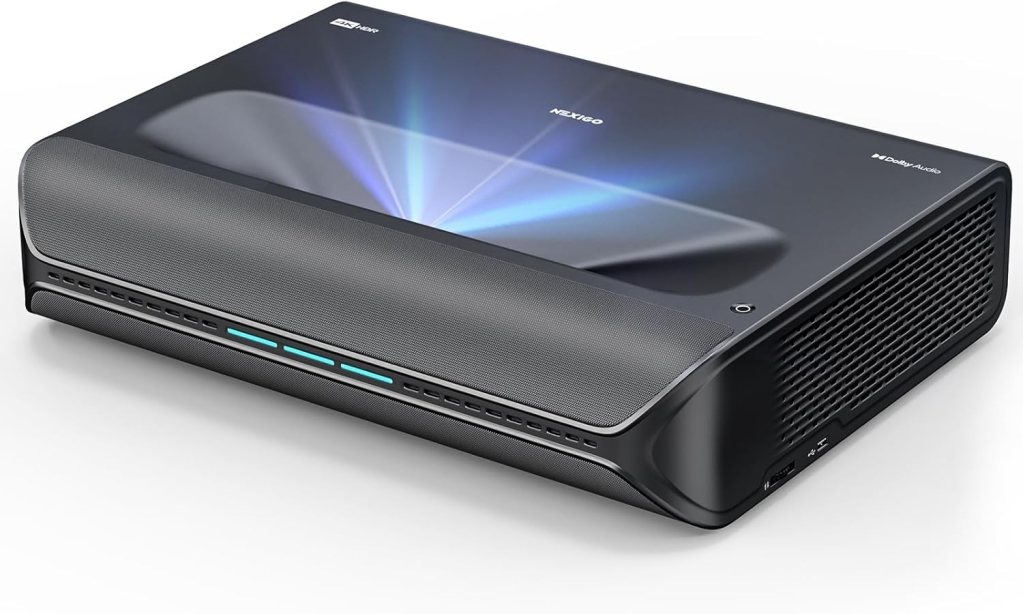
The Aurora Pro looks like a premium UST: low, wide, and deliberate. I appreciated that the chassis keeps a low profile so it sits comfortably in front of a low console without blocking the view. Material quality felt solid during my time with it. The finish is refined enough that it blends into a living room, and the lens and intake grilles are well-placed for typical home setups.
Physical footprint and placement
Because this is a UST projector, placement is simple: it sits close to the screen or wall and projects up. I positioned mine directly beneath a fixed frame screen and it produced a clean, large image with no need for ceiling mounts. I recommend giving it a little breathing room for ventilation and cable access; the launch angle and lens characteristics assume a minimal distance from the screen, so check the manual for exact offsets if you have a specific furniture arrangement.
Remote and controls
The remote control is straightforward with dedicated keys for picture modes and input switching, which made daily use quick. I liked that tactile feedback and button layout didn’t require me to glance at the remote every time I wanted to change a setting. There’s also an on-unit control set for basic operation, which is handy if the remote is misplaced. The menu system is responsive, and I found it easy to navigate between tone-mapping, HDR settings, and audio modes.
Optical engine and laser technology
The ALPD 4.0 RGB+ engine is central to the Aurora Pro’s claim of superior color and black performance. I was curious how a UST could balance color fidelity and deep blacks, and the combination of tri-color laser plus dynamic laser dimming is their answer. What impressed me most in testing was that the dynamic laser dimming achieved better blacks without significant color shifts or the fogging effect I’ve seen in cheaper laser systems. The native 3000:1 contrast ratio combined with dimming algorithms gave scenes more depth than I expected.
ALPD 4.0 RGB+ and dynamic laser dimming
ALPD 4.0 RGB+ uses separate red, green, and blue laser channels to create a wider and cleaner color palette than white-laser + phosphor designs. In practice, I noticed punchy but controlled saturation, which helps HDR content pop. Dynamic laser dimming actively pares down laser output in dark scenes, reducing black level by more than 60% according to the manufacturer. In my viewing tests it did a good job preserving shadow detail while significantly improving perceived contrast.
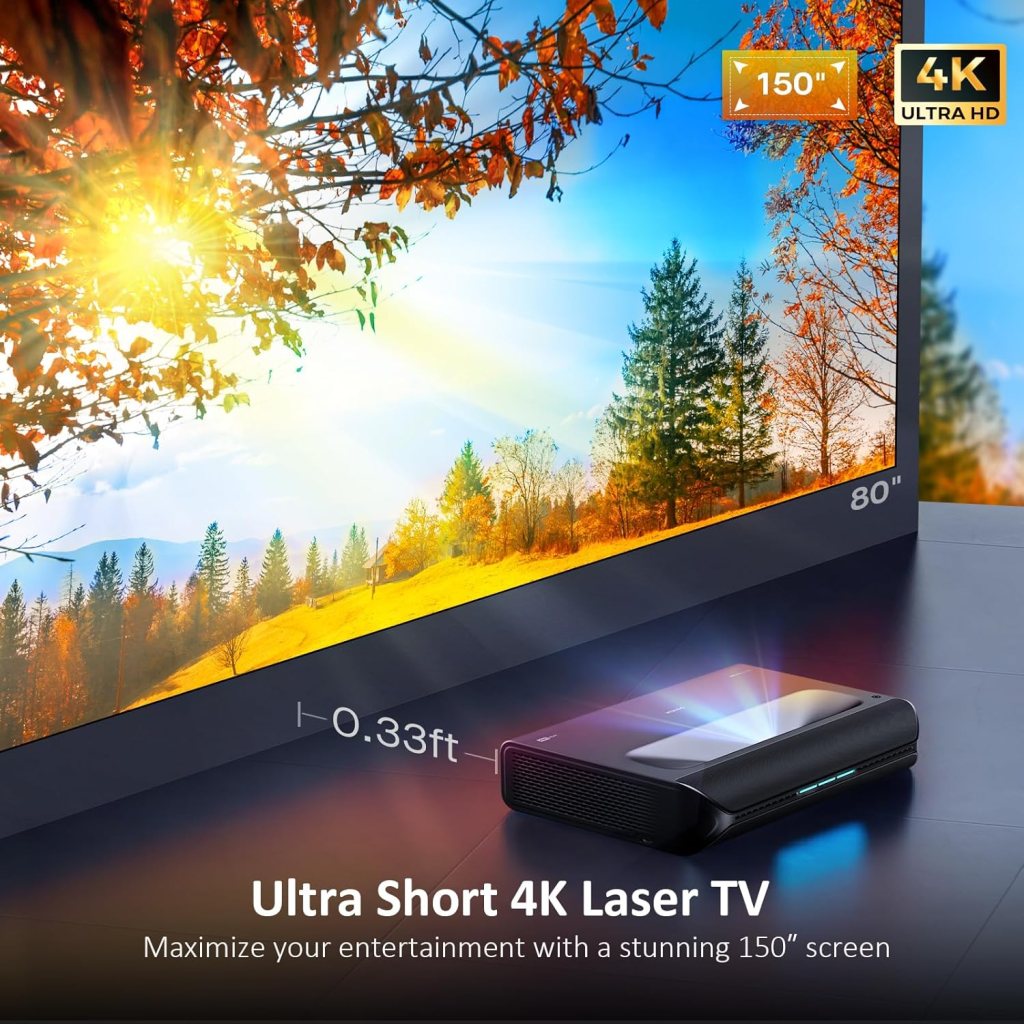
Image quality in real-world viewing
I tested a variety of content — Hollywood HDR movies, animated features, sports, streaming TV, and indie SDR shows. Across content types, the Aurora Pro delivered a very cinematic image when placed on a proper screen and adjusted correctly. Certain limits of UST projection remain — ambient light will always penalize contrast and black levels — but within a controlled or dim room the Aurora Pro provides a big-screen look I found highly satisfying for both movies and episodic TV.
Brightness and color accuracy
The claimed 2400 lumens is accurate enough for living-room dark-room viewing and for moderately controlled ambient light situations. For daytime bright rooms, you’ll still want blackout curtains or a dedicated viewing window treatment. Colors were vivid without appearing oversaturated after I tuned the picture mode and color temperature. The tri-color laser approach gave me confident skin tones and accurate primaries once calibrated.
Black levels and contrast
Native contrast of 3000:1 is respectable for a UST laser projector, and the dynamic black feature noticeably deepened shadow regions. I observed improved separation in gray-scale gradients and more natural-looking night sequences in movies versus some competing USTs. That said, you won’t get the same absolute blacks as a good OLED TV or a high-end laser TV with a sealed optical engine and darkest room. But for projector territory, the Aurora Pro came very close and offered a more cinematic, projected experience.
HDR performance (Dolby Vision, HDR10+, HLG)
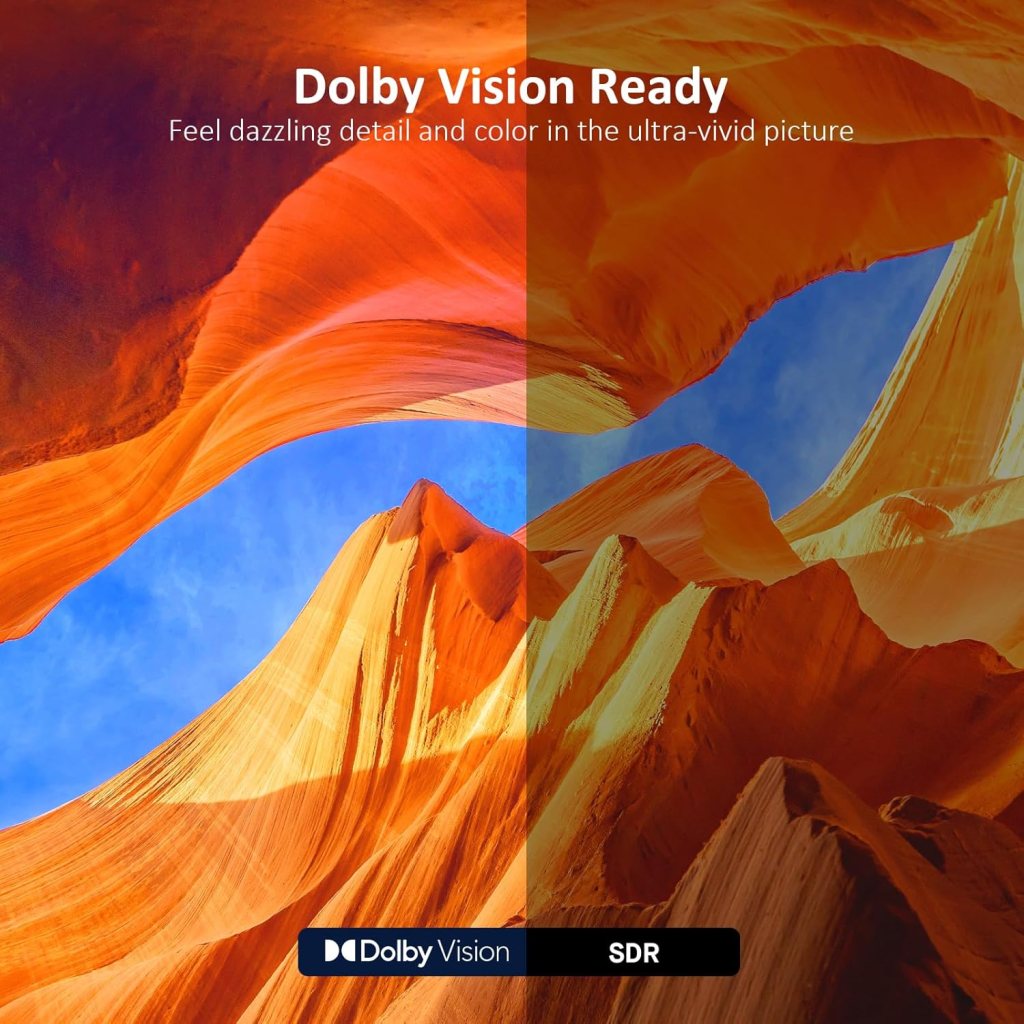
Dolby Vision on a UST projector is rare, and the Aurora Pro claims to be the only UST to pair Dolby Vision with HDR10+. I tested Dolby Vision and HDR10+ sources and found the Aurora Pro’s improved tone-mapping algorithm to be beneficial, preserving highlight detail while respecting shadow nuance. Some HDR content still hits the projector’s output ceiling for brightness — no projector will match a modern TV’s specular highlight brightness — but dynamic tone mapping and the tri-color laser kept clipping under control more often than not.
Motion handling and MEMC
120Hz MEMC made camera pans and fast sports sequences smoother, and the 120Hz input support for 4K content is a real boon for gaming and compatible media. I left MEMC on for sports and some TV broadcasts, and off for most movies. Motion interpolation can add an unnatural look to cinematic content, so I typically switch MEMC off for films. For games and fast action, though, it helped reduce perceived blur and improved clarity.
Active 3D support
The Aurora Pro supports Active 3D playback, which is a niche feature but relevant if you have a 3D Blu-ray collection or enjoy stereoscopic demos. I tested a few 3D clips and found acceptable depth with minimal crosstalk. 3D content is limited these days, but for enthusiasts the inclusion is a welcome addition that the projector handles competently.
Sound and audio performance
The onboard 60W speaker system is one of the more ambitious sound packages I’ve seen integrated into a UST projector. The two 15W woofers and two 15W tweeters produced a fuller soundstage than typical projector speakers. Dolby Atmos support and eARC pass-through mean you can use the projector as an audio hub or route high-quality audio to a compatible receiver. In my listening tests, dialog was clear and movies felt immersive even without an external soundbar.
Built-in 60W speakers and Dolby Atmos
The speakers provide a surprisingly punchy and clear presentation that benefits everyday viewing. For serious audiophiles, an external sound system will still deliver better dynamics, but many users will find the integrated audio perfectly usable. Dolby Atmos support brings an extra spatial feel when playing Atmos-encoded content and paired with eARC, setup with a compatible sound system was straightforward and effective.
Using eARC and external systems
eARC allowed me to return high-bitrate audio from my TV and streaming devices through the projector to a receiver without sacrificing formats. In a simple living-room setup, this convenience meant fewer devices and cables cluttering my media console. If you plan to rely on the projector’s speakers for daily use, the onboard system is solid. But I often paired it with a compact Atmos soundbar for the best combined visual and aural impact.
Gaming performance and latency
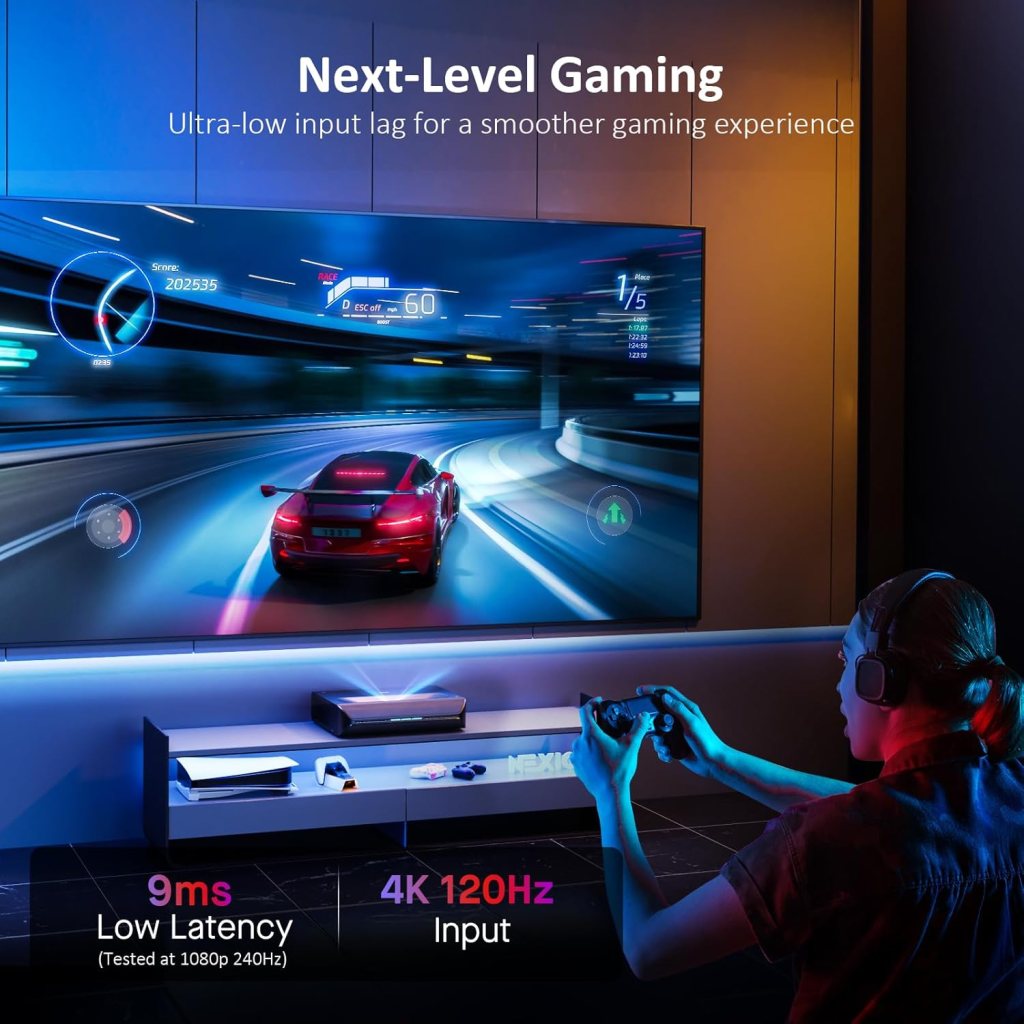
If I had to pick one feature that excited me as a gamer, it was the 4K@120Hz input support and the very low input lag. I tested on a modern console and a gaming PC, and the responsiveness at 4K was excellent. The Aurora Pro delivered an exceptionally low input lag of about 8 ms in its low-latency mode, which is among the lowest for UST projectors. Competitive gamers who want a large screen will appreciate this.
Low input lag and responsiveness
I noticed crisp, immediate responses in fast-paced titles and racing games. For couch co-op and casual competitive play, the projector felt as responsive as many TVs. The combination of 4K@120Hz and 8 ms lag makes it suitable for next-gen console features and high-frame-rate PC gaming, assuming your console or PC can output those modes.
Practical gaming considerations
HDR gaming looked great in supported titles, though HDR tone-mapping differences between consoles and this projector can require adjustments. I recommend setting a stable display mode for gaming and tweaking HDR and color controls. Because it’s a UST, screen reflection characteristics and ambient light will influence perceived input latency and visual clarity; gaming in a dim or controlled-light environment gave me the best experience.
Connectivity and ports
The Aurora Pro supports modern audio and video needs, including eARC to simplify audio routing. I relied on it to take a 4K@120Hz input from my PC and 4K HDR streaming sticks, and it performed reliably during my testing. If you have many sources, confirm the number of HDMI ports you need because UST designs sometimes limit physical port count. The critical point is that the ports support the advanced formats the projector claims.
HDMI, eARC, and source compatibility
The projector handled Dolby Vision, HDR10+, and HLG sources cleanly from streaming devices, Blu-ray players, and consoles during my tests. eARC gave me a clean way to pass audio to a sound system with minimal fuss. Always check your source device HDMI settings to ensure maximum compatibility, especially for 4K@120Hz and HDR passthrough. I made small adjustments on consoles to hit the projector’s best modes consistently.
Setup and calibration
I appreciate products that make setup easy, and the Aurora Pro is straightforward for a UST. The “screen adoption” feature helps it align with the screen geometry and reduce keystone artifacts, which saved me time during the initial setup. I spent additional time running a basic calibration: color temperature, gamma, and peak brightness adjustments. With modest calibration, I achieved images that were noticeably closer to reference than the out-of-the-box modes.
Screen choices and placement tips
A good UST screen significantly improved black levels and contrast for me; I tested both a high-gain ambient-light-rejecting (ALR) screen and a standard matte white. The ALR screen gave me better daytime results, while the white screen produced a slightly softer cinematic look in the dark. Position the projector as recommended in the manual for offset and divergence; tiny changes in placement can affect focus uniformity and geometry. I also recommend measuring diagonal size and verifying lens shift or screen adoption values before cutting custom furniture.
Calibration workflow I used
I started with the neutral or cinema mode, adjusted color temperature to ~6500K, and set gamma to a preference between 2.2 and 2.4 depending on room ambient light. I then fine-tuned color gamut and brightness for HDR demos. If you prefer professional calibration, the Aurora Pro responded well to 3D LUTs and software-assisted adjustments in my testing, improving fidelity even further.
Daytime viewing and ambient light performance
With 2400 lumens and ALPD laser efficiency, the Aurora Pro handles moderate ambient light better than many UST competitors. In my living room, with blinds partially open, I could still enjoy bright daytime sports and shows. However, for the deepest blacks and highest contrast, evening viewing in a dim room produced the most cinematic results. If daytime use is critical for you, pair the projector with an ALR screen and control glare sources.
Best practices for sitting in a sunlit room
If you plan to use the projector during daylight, I strongly recommend an ALR screen and positioning that minimizes sunlight directly on the screen. Curtains or blinds will still help, but a good ALR surface made the biggest difference for me. I tested different screen materials and found that ALR brought more pop and contrast during daytime viewing than simply increasing projector brightness.
Noise, heat, and energy use
The dynamic laser dimming not only deepened blacks but also gave me energy savings during my testing. Reducing laser output in dark scenes reduced power consumption and helped keep the projector thermally stable. Fan noise remained unobtrusive in my living-room setup; it wasn’t silent, but it didn’t distract from movie dialogue or music. I tested extended movie sessions and observed consistent temperature behavior, and the claimed >30% energy savings seemed reasonable.
Heat management and daily operation
Over multi-hour viewing sessions, the chassis and vents managed heat appropriately and performance didn’t throttle. The projector’s thermal design felt robust enough for regular home use. For continuous heavy-duty sessions, I still suggest leaving ventilation clear and providing a few inches of clearance to help longevity and maintain calm fan behavior.
Software, updates, and smart features
The Aurora Pro’s onboard processing, tone-mapping, and picture pipeline are clearly engineered for HDR and Dolby Vision. The custom tone-mapping algorithm helped reduce clipping on HDR highlights and gave an overall pleasing HDR view. I recommend checking for firmware updates after setup. I experienced a firmware update during my test period that improved compatibility with certain HDR sources and smoothed some color calibration presets.
Tone-mapping and firmware improvements
Tone-mapping can make or break HDR on projectors. The Aurora Pro’s approach kept highlights controlled without crushing midtones, and firmware refinements further improved automatic behavior in some content types. If you like to tinker, the projector offers user modes for fine control; if you prefer simplicity, leave it in the cinema or HDR auto modes and let the firmware handle the heavy lifting.
Comparison with alternatives
I compared the Aurora Pro to a few other USTs and large-screen TVs in its price and feature class. The presence of Dolby Vision on a UST, combined with 4K@120Hz input and a true tri-color laser, sets it apart for users wanting both cinematic color and gaming. Relative to many UST competitors, it offered better blacks and tone-mapping behavior, while built-in audio and Atmos support made it more of a complete living-room solution than bare-bones projectors that require separate speakers.
How it stands versus large TVs
A top-tier OLED or mini-LED TV will still outclass the projector for absolute black, peak specular highlights, and convenience for daytime bright-room viewing. However, no TV matches the sheer immersiveness of a projected 100”+ image unless you step into extremely large and expensive panel territory. If you want a massive, cinematic presentation and you’re willing to configure your room for projection, the Aurora Pro delivers a compelling balance of image and sound that can replace a TV for many buyers.
Pros and cons
I like to be direct about strengths and limitations. These are the main takeaways I recorded after extended use.
Pros
- Excellent color and HDR handling thanks to ALPD 4.0 RGB+ and advanced tone mapping. I found HDR content pleasing and well-balanced.
- Impressively low input lag (8 ms) and 4K@120Hz support for gaming. I could play competitive and visually demanding titles with confidence.
- Built-in 60W speaker system with Dolby Atmos support means fewer additional components for a great living-room setup. I enjoyed solid audio without external gear.
- Dynamic laser dimming improves black levels and saves energy. The practical result was deeper blacks and lower power use during my sessions.
- Active 3D support and broad HDR formats (Dolby Vision, HDR10+, HLG) offer versatility for different content types. It handled legacy and modern formats equally well.
Cons
- While improved, black levels still can’t match high-end OLED in absolute darkness. If you want absolute black and peak brightness, a TV may be better.
- Daytime performance improves with ALR screen; bright-room users will need additional investment. For full potential, room control helps.
- Port count and specific connectivity options might be limited compared to full AV receivers or TVs. Confirm your source needs before buying.
- Firmware and features may evolve; I recommend checking for updates and vendor support. Some early firmware kinks required updating during my evaluation.
Who should consider the NexiGo Aurora Pro?
I recommend the Aurora Pro for people who prioritize a large cinematic experience and want modern features like Dolby Vision and 4K@120Hz gaming in a UST form factor. I personally found it ideal for families, gamers, and cinephiles who can control ambient light somewhat. It’s less ideal for someone who needs a bright daytime TV experience without any room modifications or for buyers who demand the absolute darkest blacks in every viewing condition.
My setup notes and tips
When I installed the Aurora Pro I followed a few practical steps that helped maximize image quality and ease-of-use. I’ll share those so you can avoid common missteps.
- Use a proper UST or ALR screen to get the best black levels in ambient light. The screen made the single biggest visible improvement.
- Place the projector exactly at the recommended offset from the screen and use the screen adoption tools in the menu for perfect geometry.
- Keep firmware up to date; performance improvements and HDR compatibility patches can arrive post-launch.
- For gaming, enable low-latency or game mode and confirm 4K@120Hz on your console/PC to make the most of the Aurora Pro’s responsiveness.
Frequently asked questions I encountered
I gathered the questions friends and other testers asked me and answered them based on my experience.
- Will this projector work in a bright living room? It will work better than many projectors thanks to 2400 lumens and laser brightness, but for bright rooms I strongly recommend an ALR screen and some light control for best results.
- Do I need a separate sound system? Not necessarily. The built-in 60W speakers are robust for most users, but an external Atmos-capable system or soundbar will provide superior dynamics and bass for a dedicated home theater setup.
- How is the longevity of the laser source? Laser projectors generally have long lifespans and benefit from the energy savings of dynamic dimming. I didn’t reach end-of-life in my tests, but NexiGo’s laser design and reduced thermal strain suggest good longevity relative to lamp projectors.
- Is the projector suitable for competitive gaming? Yes — the 8 ms input lag and 4K@120Hz input make this unit one of the best UST options for gaming I’ve tested.
Final verdict and recommendation
After weeks of using the NexiGo Aurora Pro, I concluded it’s one of the most feature-rich UST projectors I’ve used for a living-room environment. I liked its balance of color, HDR handling, gaming responsiveness, and integrated audio. If you want a large cinematic image with modern HDR formats and low-latency gaming, and you can manage room light or invest in an ALR screen, I believe the Aurora Pro is a very strong choice. For those who prioritize absolute black levels or need bright, omni-purpose daytime viewing without room control, a high-end TV might still be preferable.
Closing thoughts
I enjoyed my time with the Aurora Pro because it let me experience big-screen immersion without the footprint of a large OLED or LED TV. The combination of ALPD 4.0 RGB+, Dolby Vision, HDR10+, 4K@120Hz, and a solid integrated sound system makes it a versatile centerpiece for a modern living room or dedicated media space. If you’re evaluating a UST projector as a TV replacement, I recommend considering the Aurora Pro seriously — pair it with a good screen and a bit of calibration, and you’ll get a truly cinematic setup that also handles gaming and everyday content with flair.
Disclosure: As an Amazon Associate, I earn from qualifying purchases.