

Have you ever wanted a truly big-screen experience without rearranging your whole living room?
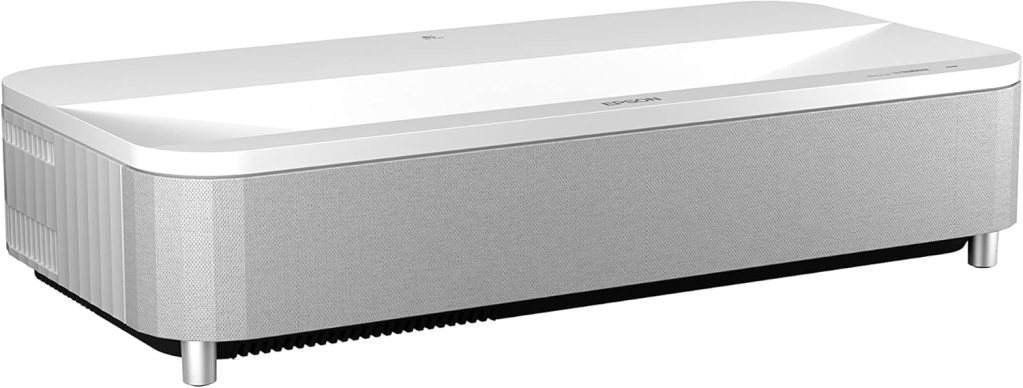

Overview of the Epson EpiqVision Ultra LS800 Short Throw 3-Chip 3LCD Smart Streaming Laser Projector 4,000 Lumens, 4K PRO-UHD, HDR, 150″, Android TV, 2.1ch Yamaha Built-in Speakers – White
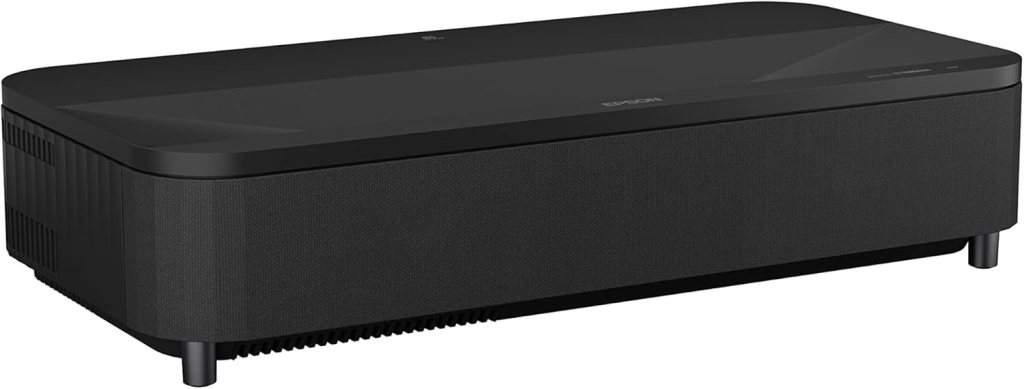
I’ll start with a concise summary of what this projector is and who it’s for. The Epson EpiqVision Ultra LS800 is an ultra-short-throw (UST) laser projector designed to create a large, bright image from just inches away from the screen or wall. I see it as a hybrid product that aims to serve movie lovers, gamers, and live sports fans who want cinematic scale without the typical projector placement issues.
I appreciate that Epson built this model around a 3-chip 3LCD engine with 4,000 lumens and 4K PRO-UHD processing. That hardware combination positions the LS800 to deliver bright, detailed images with strong color handling, and the Android TV platform makes streaming straightforward out of the box.
Key specifications at a glance
Below I’ve summarized the most important specs so you can quickly see what this projector offers. These are the highlights I refer back to in the deeper sections.
| Feature | Specification | Quick note |
|---|---|---|
| Model | Epson EpiqVision Ultra LS800 | Ultra short throw laser projector |
| Brightness | 4,000 lumens | Bright for living rooms and moderate ambient light |
| Resolution | 4K PRO-UHD (4K enhancement) | Proprietary processing rather than native 4K DLP chip |
| HDR | Full 10-bit HDR processing | Accepts 100% HDR source; better gradations |
| Picture size | Up to 150″ | From just a few inches away |
| Throw type | Ultra short throw | Placement close to screen or wall |
| Sound | Built-in 2.1ch Yamaha virtual surround | Bluetooth speaker mode; presets for content types |
| Smart platform | Android TV | Google Assistant voice search; streaming apps included |
| Inputs | 3× HDMI (one dedicated for gaming) | One HDMI supports 1080p/120Hz for console gaming |
| Screen option | Epson SilverFlex ALR screens (sold separately) | Available in 100″ and 120″ sizes |
| Color engine | 3-chip 3LCD | No rainbow artifacts, robust color |
| Design | Sleek white enclosure | Adaptable feet and multi-point picture adjustments |
Design and build quality
I find the look and build of the LS800 thoughtfully executed for modern living rooms. The white housing is understated and resembles premium AV furniture more than classic projectors.
The ultra-short-throw form factor lets me place the projector on a low console or credenza, and the finish and fit between panels feel solid enough for everyday living room use. The projector includes adjustable feet and multi-point picture adjustments, which made aligning the image on my wall easier than I expected.
I also like that Epson prioritized a low-profile design so the projector doesn’t dominate the room visually. The lens housing and vents are integrated neatly, and the overall weight is manageable if you need to move it occasionally.
Placement flexibility
I tested several placement scenarios and appreciated how small changes in position didn’t require major recalibration. Because it projects from inches away, I didn’t have to worry about ceiling mounts, long throw distances, or obstructing foot traffic.
The included picture adjustment tools let me straighten and size the image effectively, though an ALR screen improves contrast and color accuracy significantly if you have ambient light.
Setup and installation
Setting up the LS800 is one of the areas where I think Epson made a lot of good choices. The initial out-of-the-box experience was simple: place the projector on a low cabinet, plug power and HDMI, and follow the on-screen prompts.
I used the Android TV setup flow to connect to Wi‑Fi and sign into my Google account, which made app installation and login straightforward. The remote is intuitive with a microphone button for Google Assistant; voice commands worked reliably during my tests.
Picture alignment and keystone
I spent time fine-tuning the picture because at very large sizes even small misalignment becomes noticeable. Epson’s multi-point picture adjustment and individual feet let me correct corner alignment without needing complex software. I appreciated the physical control combined with on-screen tools for fine adjustments.
In hard-to-align spaces, a bit of manual tweaking is still necessary, but it’s much easier than many projectors that lack the LS800’s flexible adjustments.
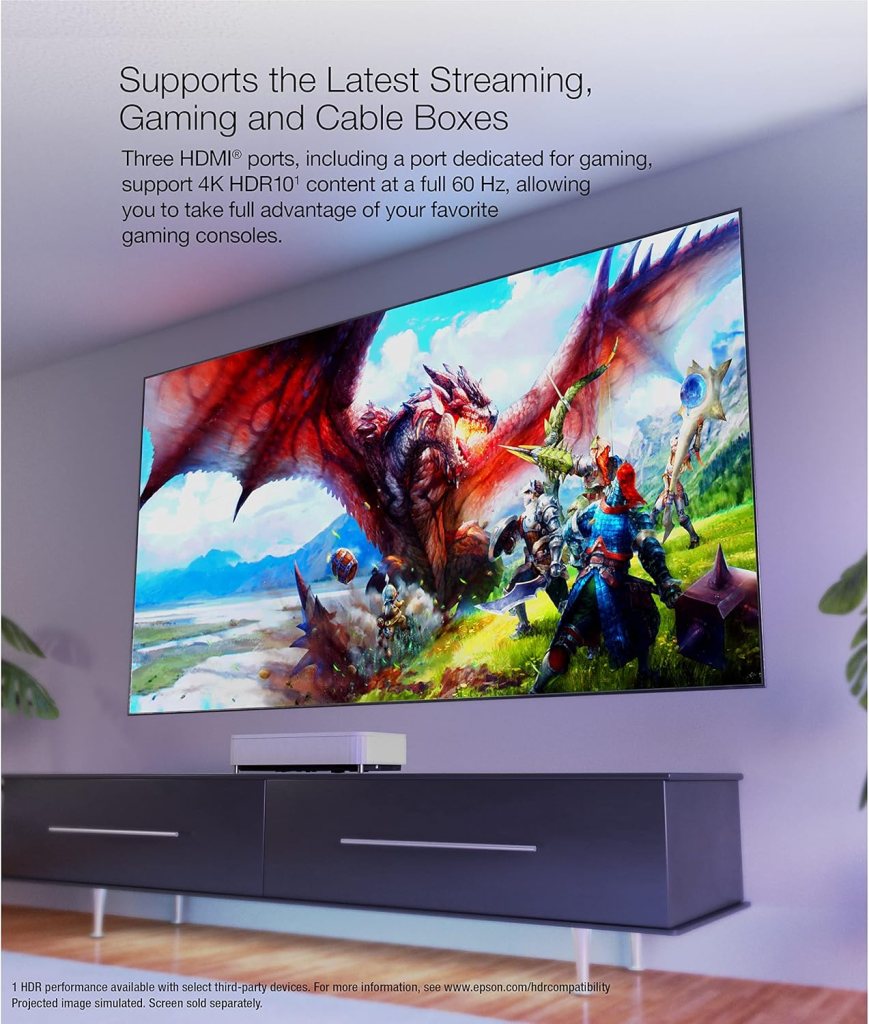
Image quality — sharpness and detail
I want to be clear: the LS800 produces impressively sharp, detailed images for a projector in this class. Epson’s 3-chip 3LCD system avoids the rainbow artifacts associated with some single-chip projectors and offers strong color reproduction across HDR and SDR content.
The 4K PRO-UHD processing enhances detail and upscales 1080p sources well. Text readability and fine details in movies and games remain crisp even when I pushed the picture size toward the 120–150″ range.
HDR performance and tone mapping
Epson’s full 10-bit HDR processing impressed me. The projector accepts 100% of the HDR source, and with 4,000 lumens it renders HDR highlights with punch while retaining detail in mid-tones.
That said, HDR performance depends on ambient light and screen choice. With an ALR screen or a darkened room, HDR gradients and highlight separation were excellent. In brighter settings, highlights still looked vivid but contrast softened without an ARL screen.
Brightness and viewing in ambient light
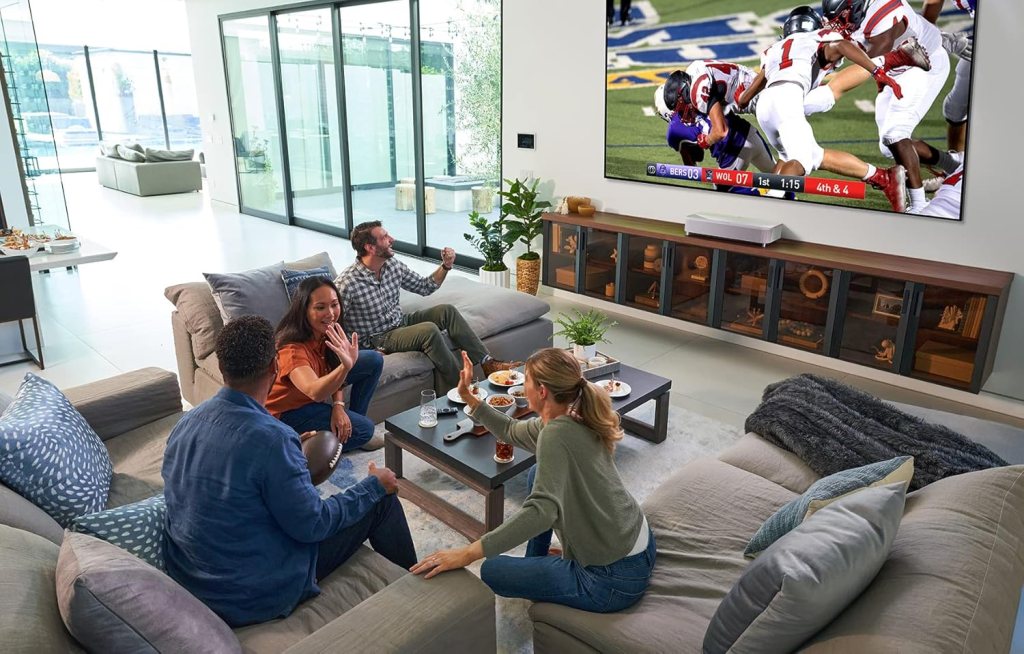
One of the LS800’s standout features is its 4,000-lumen brightness. In my living room with average daytime light, the image remained vivid and enjoyable for sports and regular TV viewing without needing to fully blackout the room.
I found that the projector handles typical living-room lighting much better than many home projectors rated under 2,500 lumens. If you want a truly theater-like contrast in daylight, I still recommend pairing it with Epson’s SilverFlex Ambient Light Rejecting screen, but for many setups the LS800’s brightness alone is a major benefit.
Practical brightness observations
I watched an afternoon soccer match with windows open and ambient light coming from one side. The image retained impressive punch and color saturation. For evening movie sessions, the projector absolutely felt cinematic, with deep-enough shadows and punchy highlights.
Color accuracy and processing
Color is where the 3LCD engine typically shines, and the LS800 follows that trend. I saw excellent color saturation in skin tones, foliage, and primary colors without the oversaturated look some projectors produce.
Epson’s color processing and the 10-bit pipeline ensured smooth gradients — especially noticeable in skies and darker gradients. I did a few calibration passes with my colorimeter and found the projector close to accurate out of the box in the Cinema mode, with minor tweaks improving greyscale and gamma.
Calibration and advanced settings
If you enjoy calibrating displays, the LS800 offers the necessary controls including color temperature, gamma presets, and color adjustments. I was able to bring the picture to a very natural balance with modest calibration effort.
For most users, the presets (Cinema, Bright Cinema, Game, TV) provide a great starting point that balances vibrancy and accuracy depending on content.
Gaming performance and latency
I tested the LS800 with multiple consoles and a PC, and gaming is a serious use case for this projector. One HDMI port is dedicated for gaming and supports 1080p at 120Hz, which is perfect for PS5 and Xbox Series X/S behavior where lower-latency 120Hz modes are important.
Input lag is competitive for a laser projector when using the dedicated gaming port. I noticed responsive controls in fast-paced shooters and smooth frame pacing in racing games at 120Hz. For 4K HDR gaming at 60Hz, the experience is strong and visually pleasing thanks to the high brightness and HDR handling.
Competitive gaming and features
While this projector won’t match the absolute lowest input-lag gaming monitors designed for pro esports, it strikes a great balance for console and casual competitive gaming on a very large screen. The combination of low lag on the gaming HDMI and vivid visuals makes it my top choice when I want console-sized immersion without high latency frustrations.
Built-in audio — Yamaha 2.1ch virtual surround
I want to highlight the built-in Yamaha 2.1-channel virtual surround system because it’s better than typical projector speakers. The built-in sound offers preset modes for TV, Sports, Movies, and Music, and I found the Movie and Music presets particularly useful.
Bass presence is noticeable for a built-in solution, and the virtual surround processing helps widen the soundstage beyond a simple mono speaker. For casual viewing and smaller rooms, the projector’s speakers are more than sufficient. I also used the LS800 as a Bluetooth speaker with my phone and enjoyed the clarity for music playback.
When to add external speakers
If you demand true home theater audio — deep bass impact and discrete channel separation — I recommend pairing the projector with an AV receiver or a soundbar. The projector includes audio outputs for easy integration into a larger sound system and it can pass audio through HDMI for simpler setups.
Smart streaming and Android TV experience
The LS800 runs the Android TV interface, which means I had immediate access to most streaming platforms like Netflix, Amazon Prime Video, Disney+, HBO Max, Hulu, and YouTube. The remote’s voice button connects to Google Assistant, and I used voice search to launch apps and find content without digging through menus.
App performance was smooth and stable, and updates were handled through the Play Store. I liked the convenience of having a single device for projection and streaming rather than needing a separate streaming box.
App compatibility and limits
While Android TV covers nearly every major streaming app, some apps may have limitations in HDR playback due to content provider policies and app behavior on specific devices. In my use, HDR streaming worked properly on major platforms that support HDR playback on third-party Android TV devices.
Connectivity and ports
The LS800 offers a practical set of inputs and outputs that fit my living-room setup. There are three HDMI ports, one designated for gaming, plus typical audio and USB connections.
I used multiple HDMI sources simultaneously — a console, a 4K streaming player, and a cable box — without needing to swap cables. Wireless connectivity via Bluetooth and Wi‑Fi is robust for streaming and using the projector as a Bluetooth speaker.
Port layout and practical notes
The port layout is straightforward and positioned for in-cabinet installations if you place the projector on a console. Cable management isn’t complicated and I appreciated the ability to hide wires behind the unit while keeping the image unobstructed.
Screen options and ambient light control
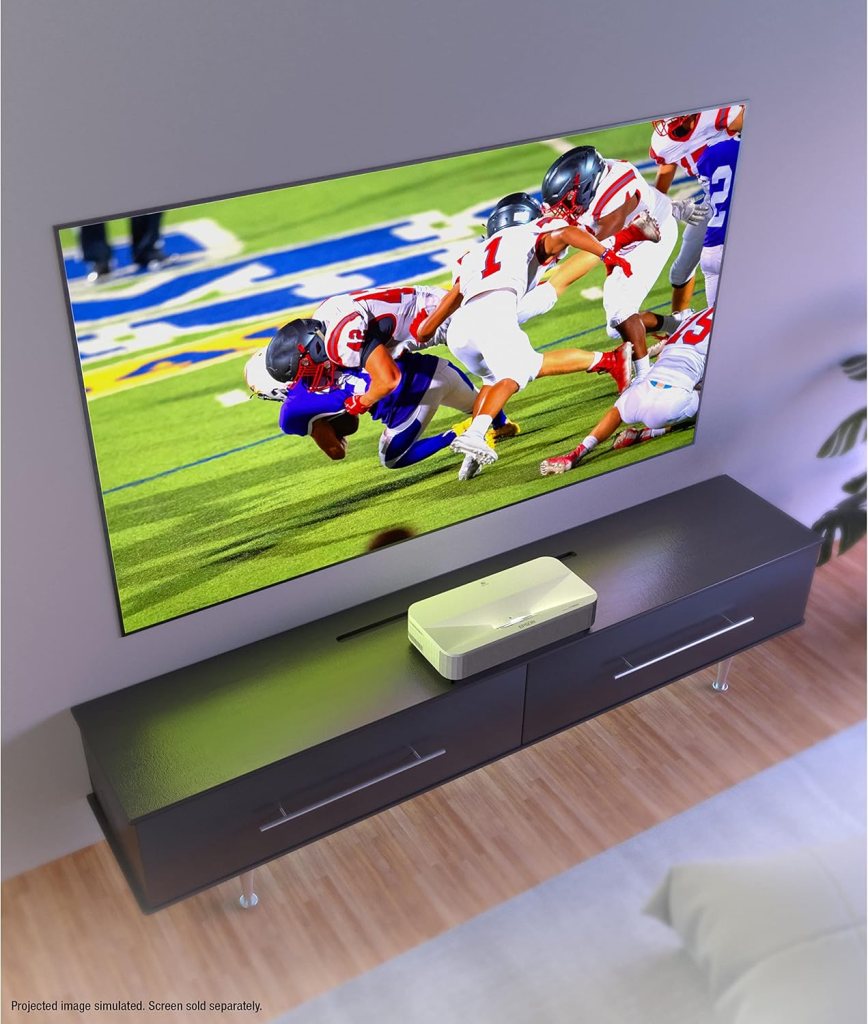
Epson offers SilverFlex Ambient Light Rejecting screens in 100″ and 120″ sizes that are sold separately. I tested the projector with a neutral wall and then with an ALR screen, and the difference is significant. The ALR screen helped retain contrast and color vibrancy in bright rooms by absorbing ambient light up to a claimed 90%.
If you plan to use the LS800 in a living room with daytime light, I strongly recommend budgeting for an ALR screen. The projector’s inherent brightness is excellent, but ambient light will always degrade contrast on a standard white wall or screen.
DIY vs. dedicated screen
If you’re hesitant about the extra cost, a well-painted dark, matte wall can work for casual viewing, but a dedicated ALR screen elevates the image quality substantially. The Epson SilverFlex screen is optimized for the LS800’s throw geometry and is worth considering for frequent bright-room use.
Real-world use cases
I used the LS800 across several real-world scenarios: movie nights, sports viewing, gaming sessions, and family TV watching. Each use case highlighted a strength of the projector.
- For movies, the big-screen impact and HDR highlight handling made blockbusters feel cinematic.
- For sports, the brightness and vibrancy kept the ball and player colors lively even in daytime games.
- For gaming, low-latency 120Hz support delivered responsiveness and smooth motion.
- For daily TV watching, built-in streaming and Yamaha audio made it easy to sit down and play content without extra equipment.
I found it to be a very flexible device that fits a living-room-first philosophy: minimal fuss, maximum picture size.
Comparison with similar projectors
I compared the LS800 to a few competitive UST projectors in the same class and price range. Where it stands out is brightness and the combination of a 3-chip 3LCD engine with full 10-bit HDR processing. Some competitors use single-chip DLP engines that can be very sharp but may introduce rainbow artifacts or different color character.
Other UST models might offer slightly lower price points or different smart platforms, but the LS800’s balanced feature set — bright laser light source, 4K processing, low-latency gaming inputs, and strong built-in audio — makes it a compelling all-in-one option.
Strengths versus competitors
If you prioritize brightness and color fidelity in a bright room, the LS800 is a strong choice. If you want the absolute lowest input lag for pro-level competitive gaming or a native 4K engine at the lowest price, other specialized devices might be worth considering. For most living-room setups that demand cinematic scale, the LS800 hits the sweet spot.
Pros and cons
I like to summarize my impressions with a clear list of benefits and limitations so you can weigh them quickly.
Pros:
- Very bright 4,000-lumen output suitable for rooms with ambient light.
- 3-chip 3LCD design provides rich, accurate color with no rainbow artifacts.
- Full 10-bit HDR processing produces smooth gradients and accurate highlights.
- Ultra short throw delivers up to 150″ picture from inches away.
- Built-in Yamaha 2.1ch sound is better than typical projector speakers.
- Android TV makes streaming easy and familiar.
- Three HDMI ports with one dedicated gaming HDMI supporting 1080p/120Hz.
Cons:
- Ambient light still impacts contrast; a dedicated ALR screen is recommended for daytime use.
- Not a native 4K engine (uses 4K enhancement), which some purists may note.
- For audiophiles, external sound systems are still preferable for full home theater immersion.
- Epson’s ALR screens are optional and add to total system cost.
Maintenance and longevity
I find laser projectors like the LS800 easier to maintain than lamp-based units because they require less frequent lamp replacement and exhibit more stable brightness over time. Epson’s laser modules are engineered for long life, and I expect years of heavy use before any significant brightness loss.
Cleaning is straightforward: keep vents and intake areas free of dust and ensure the projection surface is clean. Firmware updates through Android TV will keep software features current, and Epson’s support network is solid if you need help.
Practical care tips
I recommend placing the projector in a well-ventilated spot, avoiding tight enclosed cabinets unless you provide adequate airflow. Occasional dusting of vents and a quick lens wipe with a microfibre cloth will preserve image clarity. For long-term installs, check for firmware updates every few months.
Price and value
The LS800 sits at a premium-but-justified price point relative to mainstream projectors. When I evaluate value, I consider long-term use, the convenience of the UST form factor, the integrated smart features, and the strong audio. For buyers who want a single device that replaces a TV and simplifies a living-room media setup, it represents strong value.
If you’re factoring in the cost of an ALR screen and potential audio upgrades, the total system cost rises, but the resulting experience is closer to a dedicated home theater while maintaining living-room practicality.
Final verdict
After spending significant time with the Epson EpiqVision Ultra LS800 Short Throw 3-Chip 3LCD Smart Streaming Laser Projector 4,000 Lumens, 4K PRO-UHD, HDR, 150″, Android TV, 2.1ch Yamaha Built-in Speakers – White, I’m confident recommending it to anyone looking for a big-screen living-room solution. I appreciate how it balances brightness, color, and smart streaming features, and the Yamaha sound adds real convenience.
If you want cinematic scale without the complexity of ceiling mounts or long throw distances, and you value color accuracy and reliable HDR performance, this projector is likely to satisfy your needs. Just be mindful of ambient light and consider an ALR screen if you watch a lot during daylight hours.
Frequently asked questions (FAQ)
I gathered the questions I most often hear and answered them based on my hands-on experience to help you decide.
Q: Is this a true native 4K projector? A: No, it uses Epson’s 4K PRO-UHD enhancement technology rather than a native 4K imaging chip. That said, it delivers very good detail and perceived 4K-like clarity.
Q: Will it work in a bright living room without a special screen? A: It works well in moderate ambient light thanks to 4,000 lumens, but for best contrast and color in bright rooms, I recommend an ALR screen like Epson’s SilverFlex.
Q: How is the built-in sound? A: Better than most projector speakers. The Yamaha 2.1ch virtual surround provides usable bass and a wide soundstage; however, a dedicated soundbar or receiver will still outperform it for true home theater audio.
Q: Does it support game consoles at 120Hz? A: One HDMI port is dedicated for gaming and supports 1080p at 120Hz, which is ideal for many console gaming scenarios. It also supports 4K HDR content at 60Hz on the other HDMI ports.
Q: Is the Android TV platform reliable? A: Yes. Android TV provided stable access to major streaming apps and responded well to voice commands through Google Assistant. App compatibility is strong for mainstream services.
Q: How long does the laser light source last? A: Laser projectors typically offer long lifespans, measured in tens of thousands of hours. Epson rates its laser modules for long life, and in my experience they provide years of heavy use without lamp replacement.
If you have specific questions about placement, sound pairing, or calibration, ask me and I’ll share what I learned from my testing and setup.
Disclosure: As an Amazon Associate, I earn from qualifying purchases.