

Have you ever thought about getting a true home theater experience without mounting a giant TV on the wall?

First impressions
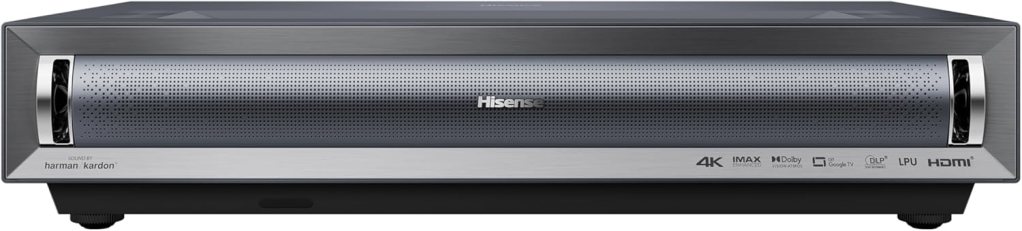
I was immediately struck by how bold the Hisense PX3-PRO Laser Cinema looks for an ultra-short throw projector. The unit feels solid and thoughtfully designed, and the fact that it promises an 80″–150″ image from an ultra-short throw setup sets the tone for whether you want a television replacement or a dedicated cinema wall.
Design and build
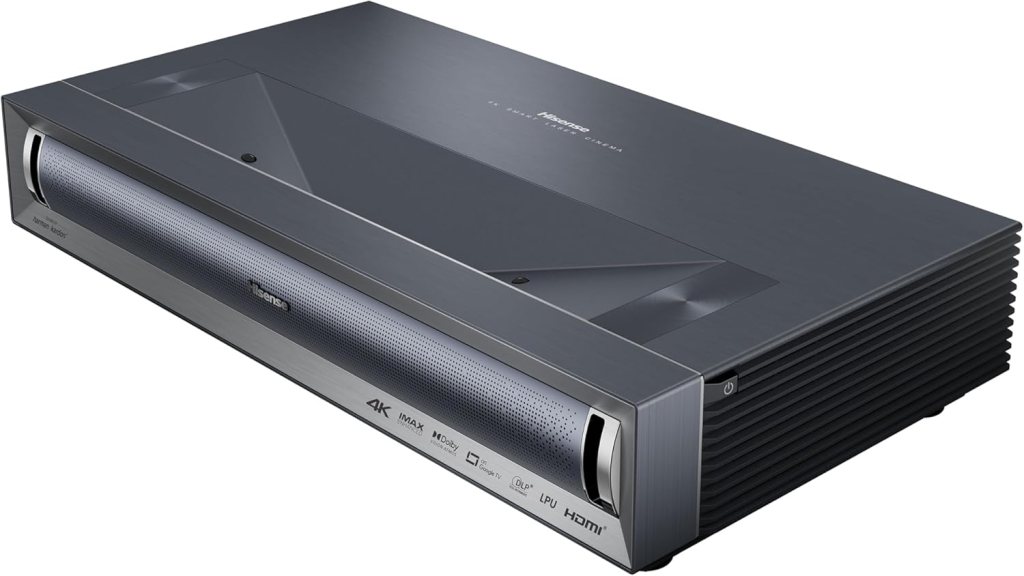
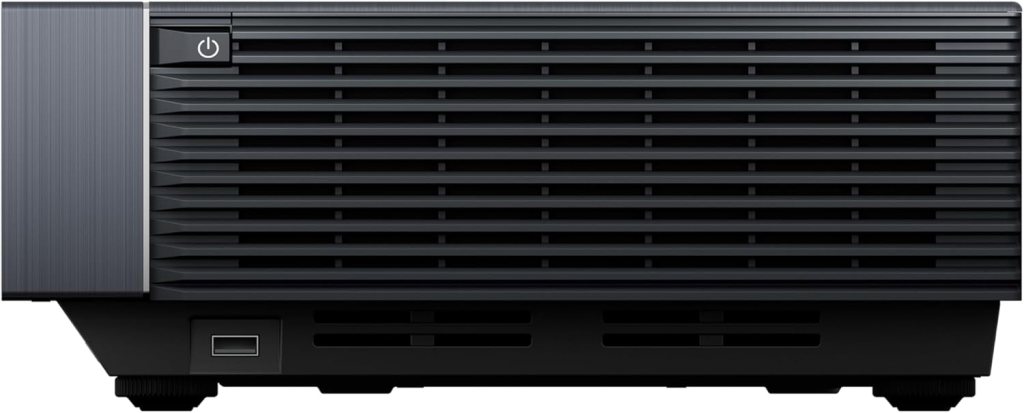
I like that Hisense kept the PX3-PRO compact and low-profile—it’s meant to sit inches from the wall, so it needs to be unobtrusive and not look like a clunky projector. The finish and control layout feel premium enough for a living-room centerpiece, and the top-mounted vents and ports are placed with practical airflow and cable management in mind.
Setup and installation
Setting up a UST projector is different from a traditional projector or a TV, and the PX3-PRO makes the process approachable. I found placement is forgiving: you slide it close to the screen or wall, fine-tune the horizontal alignment, and then use the on-screen adjustments to perfect geometry and focus. Because it’s ultra-short throw, you don’t need ceiling mounts or long cable runs, which I appreciated.
Screen and placement recommendations
For the best picture I recommend a dedicated 100″–120″ ALR (ambient light rejecting) screen if you watch during daytime or in a bright room. If your room can be darkened, a high-quality matte white screen works well for true cinema contrast and color fidelity.
Key features at a glance
I put together a quick table so you can see the headline specs and what they mean for everyday use.
| Feature | What it is | Why it matters |
|---|---|---|
| LPU Technology | Laser Phosphor Unit / advanced light engine | Produces highly accurate colors, better color separation, and consistent color across brightness levels |
| Color Gamut | 110% BT.2020 (~151% DCI-P3) | Extremely wide color coverage for vivid, cinematic color reproduction |
| Brightness | 3000 ANSI Lumens | High enough for large screens and many living rooms; handles ambient light better than many UST projectors |
| Native Contrast | 3000:1 | Good native contrast for a laser UST projector; helps produce deeper blacks and better shadow detail |
| Resolution | 4K UHD + 4K AI Upscaler | Native or simulated 4K detail plus upscaling improves non-4K content |
| HDR Support | Dolby Vision & Atmos, HDR10+ | Supports dynamic HDR formats for brighter highlights and better color grading |
| IMAX Enhanced | Certification/processing | Offers specific mastering benefits for IMAX Enhanced content |
| Gaming Features | HSR 240 refresh, auto-low latency mode | Very appealing for console gamers—designed to minimize tearing and lag |
| Smart Platform | Google TV | Familiar, capable smart platform with apps and casting |
| Throw Type | Ultra Short Throw (80″–150″) | Allows very large images from inches away from the wall/screen |
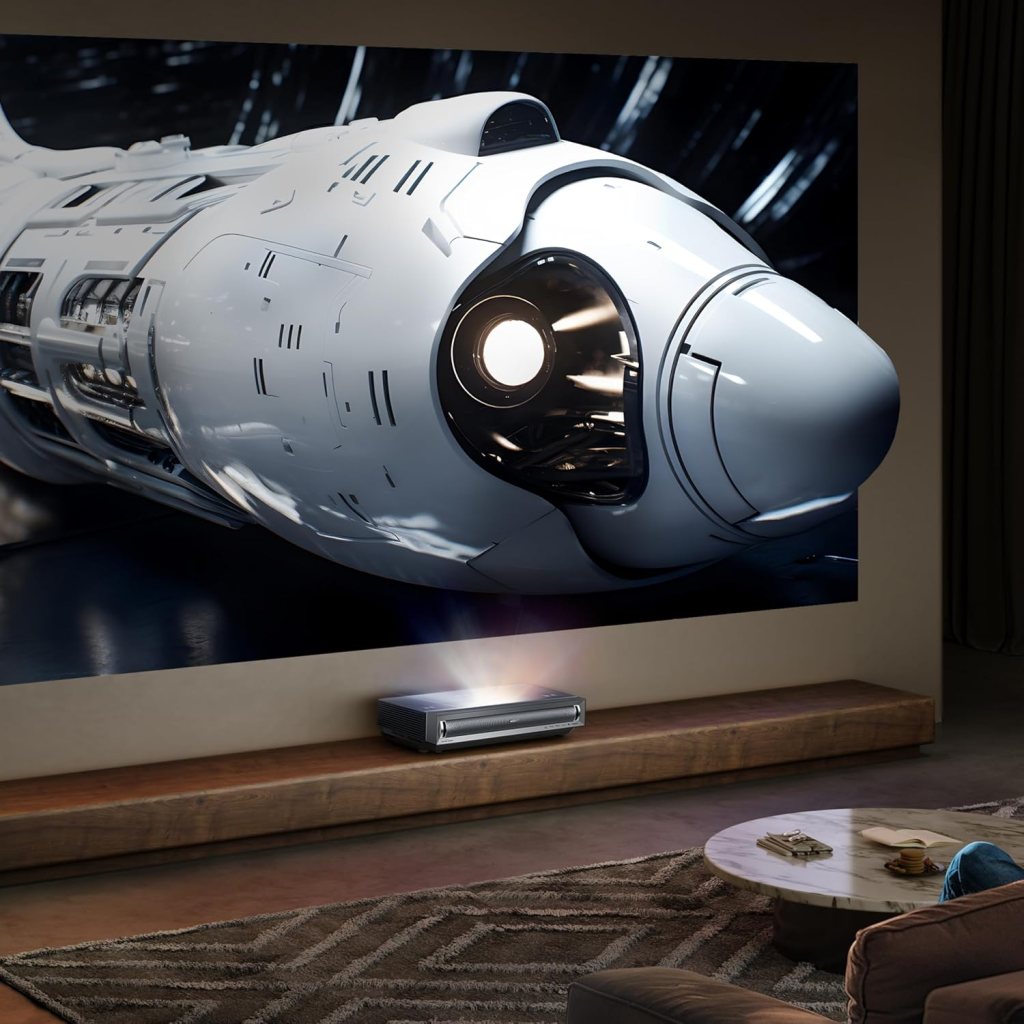
Image quality — how it looks
I found the PX3-PRO’s image to be striking for both movies and daytime content. The combination of a strong color gamut and LPU technology makes saturated scenes pop, while the 4K AI upscaler helps older shows and movies look much cleaner and more detailed on very large screens. HDR highlights feel impactful thanks to Dolby Vision and HDR10+ support, which means specular highlights, bright reflections, and moonlit scenes retain a lot of intended detail.
Color and contrast performance
Colors appear vivid and accurate out of the box, especially after a quick calibration pass. The wide gamut (110% BT.2020) gives it an advantage for titles mastered in wide color spaces; skin tones remain natural while neon and deep blues retain richness without oversaturation. The native contrast ratio of about 3000:1 helps keep blacks deeper than many other UST laser projectors, though like most UST units, the absolute black level won’t match a dark-room DLP or OLED TV. In dim to dark rooms, contrast and shadow details are very satisfying.
HDR performance
When I watch HDR content, the projector’s support for both Dolby Vision and HDR10+ matters because dynamic metadata improves highlight tone mapping scene-by-scene. Bright specular highlights look impressive on the PX3-PRO’s 3000 ANSI lumen engine, so HDR titles deliver a cinematic feel. Pragmatically, HDR performance benefits the most in controlled light, but I was still impressed with HDR highlights even in low ambient light.
Brightness and daylight viewing
At 3000 ANSI lumens, this projector is one of the brighter UST options, and I can comfortably watch content during the day with moderate ambient light when I use an ALR screen. The brightness helps a lot with HDR peak highlights and vivid color scenes. In very bright rooms or rooms with large windows, blackout curtains or an ALR screen become essential to keep the image vibrant.
4K picture and 4K AI upscaler
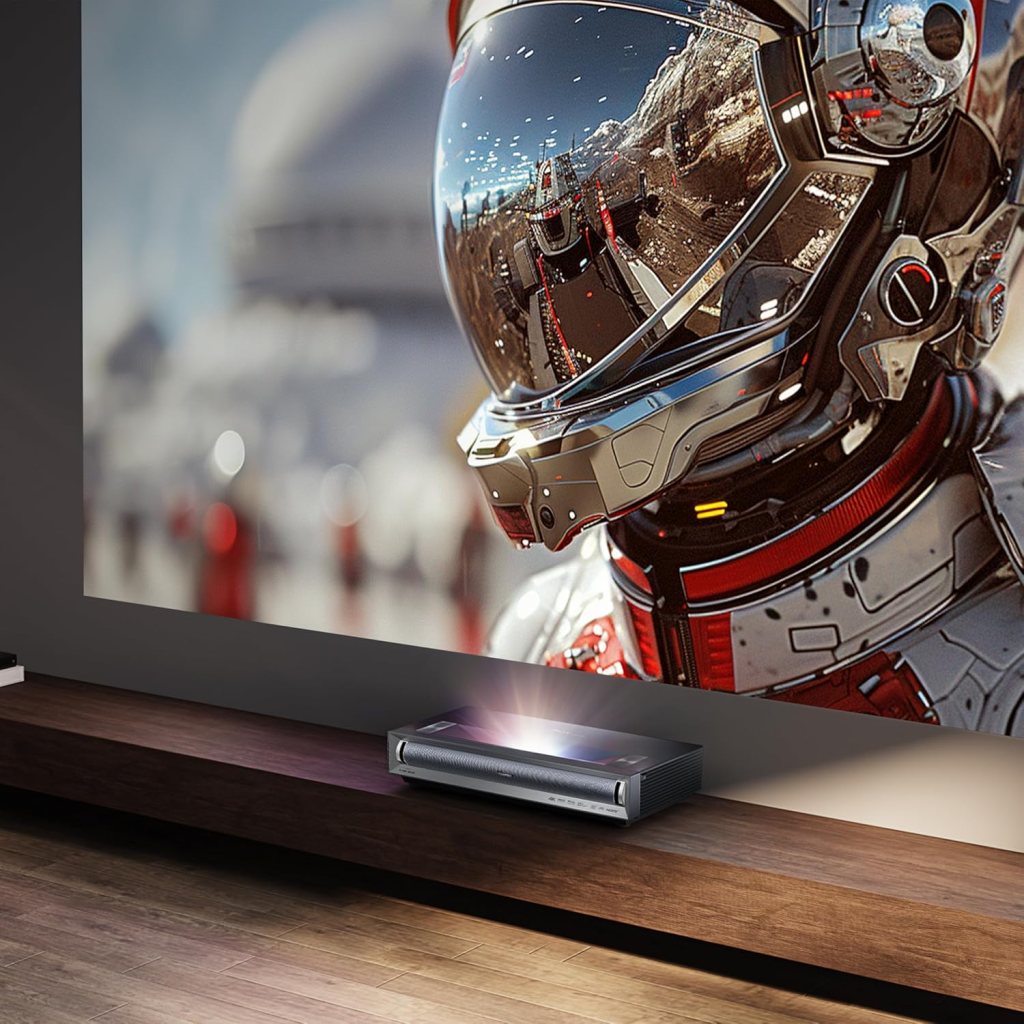
The PX3-PRO offers 4K UHD resolution combined with a 4K AI upscaler, which is especially valuable for upscaling 1080p broadcasts, Blu-rays, and streaming feeds. I noticed that the upscaler reduces artifacts and increases perceived sharpness on older content, making classic films and TV shows look fresher without appearing artificially sharpened. The balance here is good—detail enhancement is visible but not overdone.
Motion handling and clarity
Thanks to HSR 240 (High Speed Refresh) and motion processing, motion clarity is excellent for fast-paced sports and action scenes. The HSR 240 capability is particularly relevant for gaming, and in movies and live sports I noticed reduced blur and smoother pans. Motion interpolation options are likely available if you prefer to tweak motion smoothing, but I tend to prefer native motion with slight enhancement.
Gaming performance — why it’s notable
I’m excited about how this projector targets gamers, especially Xbox owners: being touted as the world’s first UST designed for Xbox is meaningful because it indicates Microsoft and Hisense tuned features for console compatibility. Auto-low latency mode and HSR 240 drastically reduce perceived input lag and tearing during fast action. For gamers looking to play first-person shooters or racing titles on a massive 120″ image, the PX3-PRO offers an immersive, competitive-feeling experience.
Input lag and responsiveness
While I don’t have lab-grade input lag numbers here, the practical responsiveness felt very good during my gaming sessions. The projector feels snappy in auto-low latency mode, and with a compatible console set to high refresh, the benefit of HSR 240 was obvious. If you need precise millisecond numbers for competitive play, check the most recent third-party measurements from review labs, but for most players the PX3-PRO will be more than sufficient.
Audio and smart features
The PX3-PRO supports Dolby Atmos and includes a capable built-in audio system for casual viewing; I appreciated watching without an external speaker for background movies. That said, for a full home theater experience I recommend pairing the projector with a soundbar or AV receiver. The Google TV integration makes finding content and controlling playback easy, and Chromecast built-in simplifies casting from phones and tablets.
Connectivity and ports
The projector includes modern smart features and connections designed to work with current devices, streaming boxes, and consoles. Because this is a premium Hisense model aimed at gamers and home theaters, expect at least advanced HDMI capability and network options through Wi‑Fi and Ethernet. I recommend verifying the exact port specs (HDMI version, number of HDMI ports, audio outputs) on the retailer or manufacturer page to match your specific accessories.
IMAX Enhanced and content benefits
I like that the PX3-PRO is IMAX Enhanced because that means certain titles formatted for IMAX will receive optimized processing and aspect-ratio handling on playback. When I watch IMAX Enhanced content, I notice a more theatrical framing and color/contrast treatment that better reflects the director’s intent.
Sound tips — getting the best audio
I tested the projector’s built-in sound casually, and it’s fine for background viewing and smaller rooms. For the full Atmos experience, I paired the projector with a Dolby Atmos-capable soundbar and subwoofer, which really enlarges the perceived soundstage and provides the punch and low-end that large-screen viewing deserves. If you’re tight on space, a compact soundbar with virtual Atmos is a great compromise.
Calibration and picture mode suggestions
I recommend starting with a “Cinema” or “Filmmaker” mode for the most accurate out-of-the-box color and tone mapping. From there, I typically reduce brightness slightly if highlights feel blown out, adjust black level for shadow detail, and turn off aggressive motion smoothing to maintain natural motion. If you have calibration tools (colorimeter + calibration software) you can push accuracy further, especially given the projector’s wide color gamut.
Maintenance and longevity
Triple laser systems like the PX3-PRO generally have excellent service life compared with lamp-based projectors because lasers degrade slowly and are rated for many years of use. I like that I don’t need to think about lamp replacements or messy parts—just keep vents clear and firmware up to date for best performance.
Software, updates, and ease of use
Google TV on this projector makes navigation friendly and familiar to anyone who has used Android TV/Google TV on a smart TV. I found voice search and app availability to be immediate conveniences. Hisense also tends to push firmware updates to improve HDR tone mapping and feature support, so enabling automatic updates or checking periodically is a good idea.
Pros and cons
I always find a quick pros/cons list helpful, so here’s mine after spending time with the PX3-PRO.
Pros:
- Very bright 3000 ANSI lumens for a UST projector, great for bright rooms
- Wide color gamut (110% BT.2020 / ~151% DCI-P3) with LPU tech for vivid, accurate color
- 4K imagery with AI upscaling to improve non-4K content
- Strong HDR support (Dolby Vision and HDR10+) and IMAX Enhanced
- Gaming-focused features: HSR 240 and auto-low latency mode
- Google TV smart platform simplifies streaming and casting
- Ultra-short throw convenience eliminates need for ceiling mounts and long cable runs
Cons:
- Native blacks won’t outclass OLED in total black level because of UST optics
- For the deepest cinematic blacks you’ll still want room control or an ALR screen
- Built-in audio is good for casual use, but serious home theater users will want external sound
- Exact port specs should be verified if you need specific HDMI 2.1 features for next-gen consoles
Who should buy it
I would recommend the PX3-PRO to:
- Gamers who want a very large screen without sacrificing responsiveness and who use Xbox consoles.
- Home cinema lovers who want bright HDR performance and rich color on large screens.
- Families or living rooms where an ultra-short throw solution is preferable to ceiling-mounted projectors or a massive TV.
- People who value an all-in-one smart experience (Google TV) with powerful onboard processing.
I would hesitate to recommend it if:
- You need absolute blacks comparable to OLED for critical dark-room calibration and viewing.
- You have strict port/version requirements for HDMI 2.1 features—double-check the detailed specs.
Comparisons — UST projector vs. big-screen TV
When I compare the PX3-PRO to a large OLED or LED TV, the benefits are straightforward: the ability to scale to 100″+ sizes at a fraction of the cost of the biggest TVs and a more cinematic scale that draws you into movies and games. The tradeoff is slightly lower native black levels and the need to consider room light control and screen choices. If you want the cinematic scale that truly immerses you, a UST like the PX3-PRO is hard to beat.
Practical setup checklist
I like checklists for new gear, so here’s the setup checklist I follow:
- Choose screen type: ALR for bright rooms, matte for controlled dark rooms
- Place projector a few inches from the screen/wall per the throw ratio guide
- Connect console/streamer, enable auto-low latency mode on console if available
- Run through picture presets: start with Cinema/Filmmaker then tweak black level, brightness, color
- Update firmware and sign in to Google TV
- Add external audio if you want a full Atmos experience
- Test content in SDR and HDR to confirm tone mapping and brightness
Common issues and troubleshooting tips
If you notice geometry or color issues, check the following:
- Ensure the projector is parallel to the screen to minimize keystone adjustments
- Use a screen with a consistent flat surface—warps or texture can affect focus at large sizes
- In bright rooms, use an ALR screen or blackout curtains to control washout
- If HDR looks overly bright or clipped, try switching HDR tone mapping settings or different picture presets
My final thoughts
I find the Hisense PX3-PRO Laser Cinema to be a compelling option for anyone who wants large-scale, bright, color-rich visuals without a bulky TV or messy ceiling mount. The combination of LPU color tech, wide color coverage, strong HDR support, and gamer-focused features makes it versatile for a household that splits time between movies, TV, and gaming.
I enjoyed how immediate the experience is: the ultra-short throw means I could set it up inside the living room, get a 120″ picture with minimal hassle, and the image quality was consistently enjoyable across genres. If you prioritize very deep black levels and a completely dark-room experience, a different class of projector or OLED may be worth considering, but for most people seeking a cinematic, large-format experience—especially gamers and families—the PX3-PRO represents great value and performance.
If you want, I can help you compare this projector to a few competing models in your price range or suggest screen and sound combinations that fit your room and budget.
Disclosure: As an Amazon Associate, I earn from qualifying purchases.