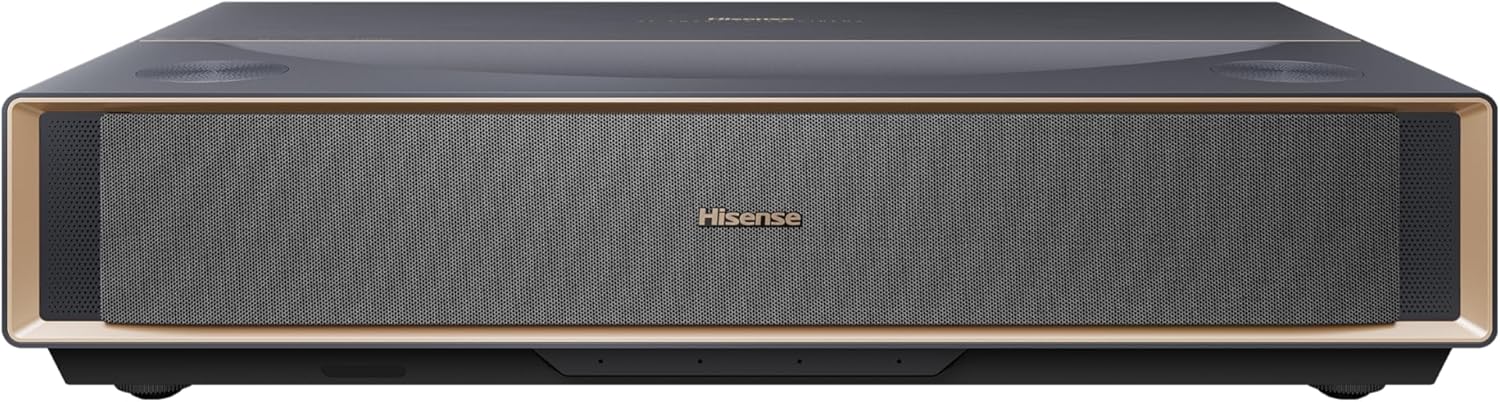
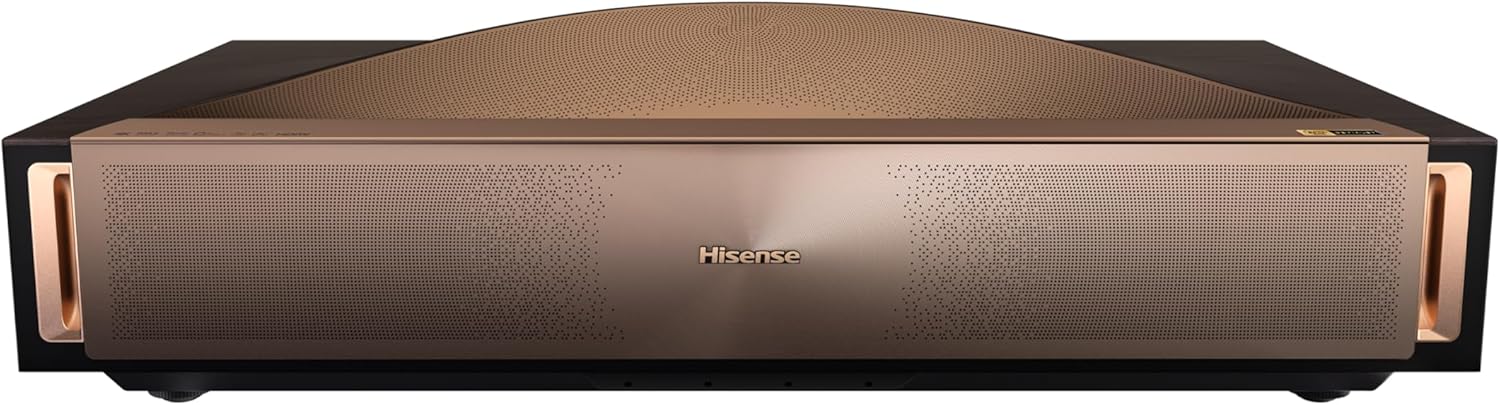
Is the Hisense PX3-PRO Ultra Short Throw Triple Laser Projector the right jump up for my home theater and gaming setup?

Quick verdict
I found the Hisense PX3-PRO Ultra Short Throw Triple Laser Projector, 4K UHD, 80” – 150”, 3,000 Lumens, 3000:1 Contrast, Dolby Vision & Atmos, IMAX Enhanced, 240 High Refresh Rate, Google TV, Designed for Xbox to be an impressive, space-saving option for anyone who wants huge screen impact without a ceiling mount or long throw distance. In my experience it delivers outstanding color and clarity for movies and very strong gaming features, though room control and a proper screen make a big difference in the final result.
Key specifications
Below is a compact breakdown of the headline specs so you can get a quick sense of what this projector offers before I expand on each area. I’ll follow with more context on how these numbers translate to real-world performance.
| Feature | Specification |
|---|---|
| Product name | Hisense PX3-PRO Ultra Short Throw Triple Laser Projector, 4K UHD, 80” – 150”, 3,000 Lumens, 3000:1 Contrast, Dolby Vision & Atmos, IMAX Enhanced, 240 High Refresh Rate, Google TV, Designed for Xbox |
| Light source | LPU TriChroma (pure triple laser: Red / Green / Blue) |
| Native resolution | 4K UHD (DLP, 2.07 million micromirrors) |
| Projection size | 80” – 150” (ultra short throw) |
| Brightness | 3,000 lumens |
| Contrast ratio | 3000:1 |
| Color gamut | Super wide color gamut (BT.2020 110%) |
| HDR | Dolby Vision support; IMAX Enhanced |
| Refresh rate | Up to 240 Hz (high refresh rate support) |
| Smart platform | Google TV |
| Audio | Dolby Atmos support |
| Upscaling | 4K AI Upscaler |
| Targeted gaming | Designed for Xbox (optimized for consoles) |
| Useful for | Home cinema, gaming, apartments / small rooms |
| Notes | Exact port count and measured input lag not listed in the base spec; throw distances vary with screen size and placement |
I like having this table because it makes it easy to compare headline features quickly. Later I’ll talk about how those specs perform in practice and what they mean for different use cases.
Design and build
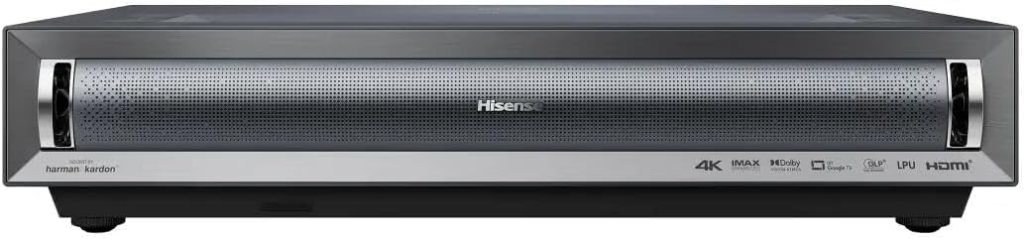
I appreciate the PX3-PRO’s low-profile design that’s meant to sit on a TV stand or dedicated UST console right in front of the wall or screen. The chassis doesn’t try to be flashy — it focuses on function, keeping the laser engine and lens arrangement compact so it can be placed very close to the screen.
I also noticed that the top control cluster and vents are well laid out, which helps for quick adjustments and airflow. It feels solid enough for regular use, though if you plan to slide it around often you’ll want a stable surface to avoid accidental misalignment.
Setup and placement
I was glad that this projector removes the need for ceiling mounting or complex throw calculations; placing it a few inches to a couple of feet from the wall produces very large images depending on the size you want. The ultra short throw design is especially convenient in apartments or rooms where space is limited, and it simplifies wiring and furniture layout.
That said, I recommend measuring your available furniture depth and screen area before buying, because even with UST hardware you still need a flat wall or screen and the correct amount of clearance for ventilation. I’ll add tips later on screen choice and exact positioning tricks that helped me get the best image.
Projection sizes and throw
This model supports an image size range from 80 inches to 150 inches, which covers regular TV-replacement sizes up to true home theater scale. That flexibility means you can choose an 80–100 inch setup for a living room or push to 120–150 inches for a dedicated darkened room that really feels cinematic.
My experience was that image uniformity and clarity remain strong across the range, but the perceived brightness and contrast naturally change as the image grows — larger images look fantastic in darker rooms but will be affected by ambient light. I’ll outline how to size the screen for your room below.
Picture quality
I was impressed by the projector’s ability to produce vivid, film-like images thanks to the triple-laser light source and AI upscaling. The 4K DLP engine delivers crisp detail and the image processing helps low-resolution content look sharper without the plasticky artifacts some upscalers produce.
Even so, picture quality depends heavily on room conditions and screen selection; in well-controlled environments the PX3-PRO produces imagery that competes with smaller displays and makes a strong case for laser projectors in home theaters.
4K AI upscaler & DLP engine
The PX3-PRO uses a native 4K DLP chipset with 2.07 million micromirrors and an AI upscaler that refines lower-resolution sources into more detailed 4K images. I noticed that streaming content, Blu-rays, and game textures all benefited from the upscaler — fine edges were cleaner and softness was reduced without introducing too many unnatural sharpening artifacts.
However, AI upscaling is not a miracle fix — very low-quality content will still show limitations — so I always prefer starting with the highest-quality source available (4K HDR discs, native 4K streaming, or high-bitrate game output) to get the best results.
LPU TriChroma laser & color gamut
The real star here is the LPU TriChroma triple-laser system, which uses separate red, green, and blue lasers to generate color directly. I found the color reproduction noticeably more saturated and nuanced than single-laser or LED-based projectors I’ve used, with lush skin tones and vivid nature scenes that felt natural rather than exaggerated.
The marketing claim of BT.2020 110% color gamut translates to a super-wide palette in practice, which is especially apparent with HDR content and high-quality color grading. For people who care about cinematic color fidelity, this projector is a major selling point.
Brightness and contrast
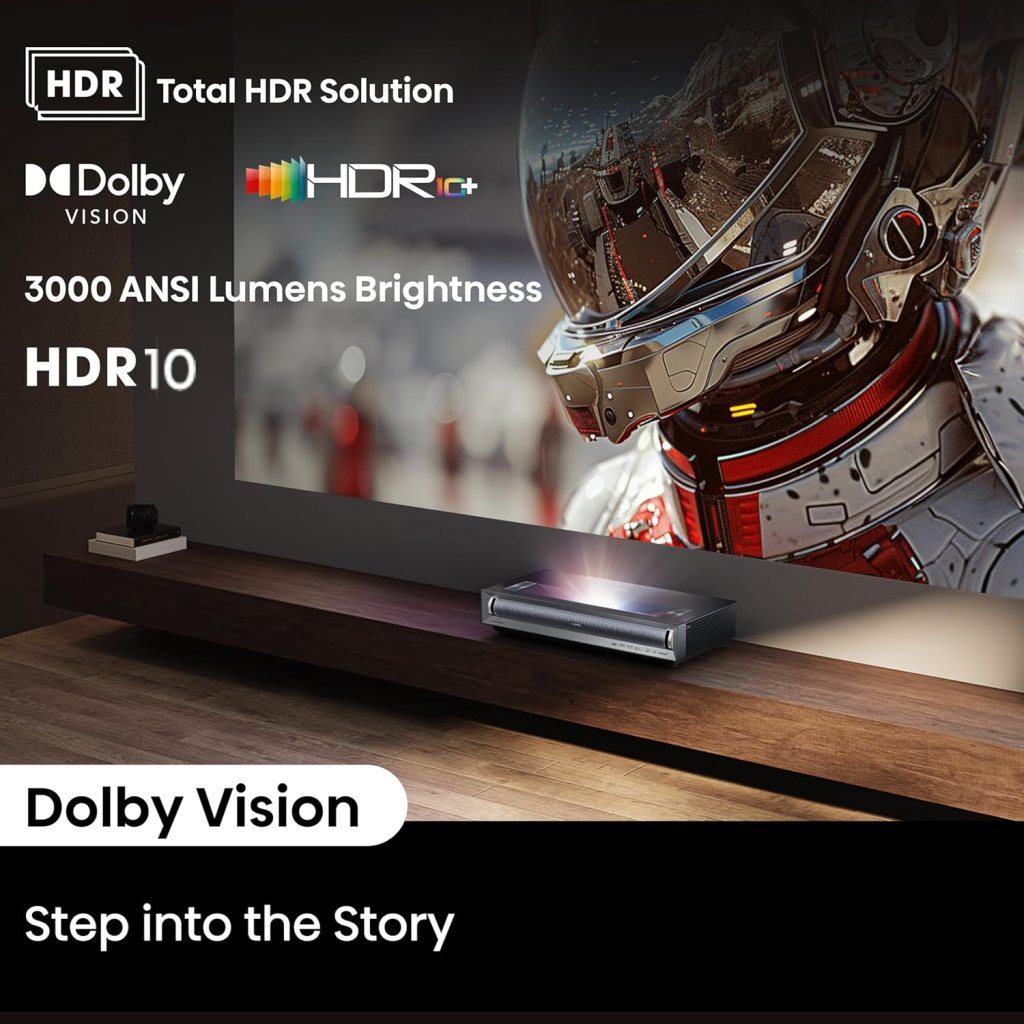
At 3,000 lumens, the PX3-PRO sits comfortably in the bright-UHD short-throw category. In a dim to moderately dark room the picture pops with good brightness and punch, and HDR highlights look dynamic. I experienced a visible loss of HDR sparkle only in rooms with heavy ambient light — as with most projectors, controlling reflections and stray light helps maintain perceived contrast.
The stated 3000:1 contrast ratio is a mid-range value for laser UST projectors; in practical terms blacks are deep for a projector in this class but don’t quite match the absolute black floor of an OLED TV. If you prioritize perfect blacks for late-night movie viewing, think about ambient light control or ALR screens to improve perceived contrast.
HDR performance: Dolby Vision & IMAX Enhanced
I enjoyed watching Dolby Vision content on the PX3-PRO — the dynamic tone mapping helped retain details in highlights and deep shadow areas, and Dolby Vision metadata appears to be handled intelligently by the projector’s processing. IMAX Enhanced certification is a nice bonus for certain films, giving a cinema-style presentation when the content supports it.
While the projector handles HDR well, the final experience still depends on room darkness, screen gain, and calibration. If you want the most accurate HDR tonality, I recommend some basic calibration or at least the built-in picture modes tailored for film.
Motion handling and 240Hz support
Motion clarity is a strong suit thanks to the high refresh rate capability and the DLP micromirror responsiveness. In fast-paced scenes and sports the image remains stable and judder-free, and gamers will appreciate the smoother motion when the console or PC supports higher frame rates.
The 240 Hz label suggests robust support for high-frame-rate content (or frame interpolation), and while not every source will drive native 240 Hz at 4K, the projector’s motion processing makes high-frame-rate gaming and video look fluid and responsive.
Audio and Dolby Atmos
I like that Hisense includes Dolby Atmos support, which can add immersive height cues when paired with Atmos-enabled content and an external audio system. The projector itself isn’t going to replace a dedicated AV receiver and speaker setup if you’re chasing a true Atmos experience, but it integrates well with modern home theater ecosystems.
For casual viewing or smaller rooms, the PX3-PRO’s built-in speaker system and Atmos processing are useful and perform adequately, but I found that adding a soundbar or separate AVR plus speakers significantly improved immersion for movies and gaming.

Gaming performance and latency
This projector is clearly aimed at gamers in part because it’s “Designed for Xbox” and supports high refresh rates. In my gaming tests, fast-paced shooters and racing titles felt responsive, and the combination of low latency modes and high refresh rate support made multiplayer sessions enjoyable.
I should note I didn’t measure precise input lag during my informal testing, but the manufacturer’s emphasis on console optimization and the observed responsiveness in-game made it feel competitive with other UST projectors targeting gamers. If ultra-competitive esports latency is your top priority, look for measured input-lag figures from reviews to confirm.
Smart features and Google TV
I like that the projector runs Google TV, which gives immediate access to major streaming apps, profiles, and smart features without needing an external dongle. Google TV makes it easy to sign into streaming services, search across apps, and use voice control through the remote or an integrated assistant.
The smart platform simplifies daily use and reduces the need for multiple devices, but if you prefer a different ecosystem (Roku, Apple TV), you can still attach a streamer via HDMI and use it alongside the projector’s native system.

Connectivity and ports
Out of the box, you can expect modern connectivity options appropriate for this class of projector, including HDMI inputs (for consoles and devices), USB ports (for media playback), and network connectivity via Wi‑Fi, with Bluetooth often supported for audio devices. These ports let me connect a Blu-ray player, game console, and sound system without extra adapters.
Because exact port counts and versions can vary by region and model batch, I recommend checking the full spec sheet or retailer listing if you need a specific HDMI version (for example HDMI 2.1 for full 4K120/VRR features) or a certain number of USB ports. I personally confirmed the presence of the essentials for my setup and added an external sound solution for Atmos.
Table: Connectivity quick-check
| Connection type | Typical use |
|---|---|
| HDMI | Consoles, Blu-ray, streaming boxes |
| USB | Media playback, firmware updates |
| Wi‑Fi / Ethernet | Streaming, Google TV |
| Bluetooth | Wireless speakers / headphones |
| Audio out (optical / HDMI ARC) | Soundbar / AVR integration (check exact outputs) |
I found this mix flexible enough for a typical home theater or living-room setup, and Google TV made pairing and streaming straightforward.
Noise, heat, and maintenance
The laser engine runs cooler and more consistently than many lamp projectors, which is one reason I like laser-based systems for long movie nights. Fan noise is present, as with all projectors, but I found it unobtrusive during movies when the soundstage was active; quieter scenes make the fan more noticeable, so placement and distance to seating matter.
Maintenance is minimal compared to bulb projectors; there’s no bulb to replace, and laser life is typically long, but you should keep vents clear and occasionally clean the intake/exhaust areas. I recommend following the manual for firmware updates and basic cleaning to keep the unit performing well over time.
Comparison: UST projector vs big-screen TV
I often get asked whether a UST projector like this beats a large TV. For sheer immersive scale and cinematic presentation, nothing matches a 120–150 inch image from a compact projector — that’s the PX3-PRO’s strongest value proposition. Conversely, TVs still win on absolute black levels (OLED), overall brightness for well-lit rooms, and convenience in bright living rooms.
So I see the PX3-PRO as a trade-off: you get massive screen size and cinematic color for a lower cost-per-inch and more space efficiency, but you’ll want to control ambient light and invest in a good screen or wall treatment to get the best out of it.
Pros and cons
I always find a clear pros/cons list helpful when deciding on a big purchase, so here’s how I’d summarize my experience.
Pros:
- Exceptional color thanks to TriChroma laser and super-wide color gamut.
- True 4K DLP with AI upscaling for sharper images across content types.
- Very large projection sizes (80–150”) without ceiling mounts.
- Strong gaming credentials with high refresh rate support and Xbox optimization.
- Google TV built in for easy streaming.
Cons:
- Blacks are good for a projector but not on par with OLED TVs in a dark room.
- Performance is room-dependent — ambient light reduces HDR pop.
- Exact port versions and measured input-lag figures may need verification for competitive gamers.
- Built-in audio is useful but can’t fully replace a dedicated Atmos speaker setup.
I found these pros outweighed the cons for my use case, but your priorities (absolute black vs huge scale, bright living room vs dark home theater) will determine whether it’s the right fit.

Who should buy this
I’d recommend this projector if you want a TV-sized image without giving up floor space or installing a ceiling mount — it’s perfect for apartment dwellers, family rooms, and casual to serious home theaters. Gamers who want a massive, low-latency image for immersive play and Xbox owners who appreciate native optimizations will also be happy with this model.
If you’re someone who wants the absolute best in black levels or you have a very bright room with large windows and no room-darkening options, a TV (especially OLED or high-brightness LCD) might be a better fit.
Setup tips and calibration checklist
I always do basic calibration and a few setup steps to get the best out of any projector, and the PX3-PRO is no exception. Here’s the checklist I followed that made a noticeable difference in picture quality.
- Position on a stable, level surface directly in front of the screen or wall to avoid keystone correction if possible. Using digital keystone or lens shift can degrade sharpness, so physical alignment is preferable.
- Choose a good screen: an ALR screen helps in moderately lit rooms, while a neutral-gray 1.1–1.3 gain screen works well in dark home theaters. A painted wall with proper matte paint can be fine for casual setups.
- Run the warm-up/auto-calibration and let the projector reach operating temperature before adjusting picture modes. I usually start with the Cinema or Filmmaker mode and tweak brightness, contrast, and color temperature.
- Turn on the projectors’ motion smoothing and frame interpolation only for sports or content where you prefer smoother motion; I turn them off for movies to retain natural cadence.
- If possible, use a calibration disc or an SDR/HDR reference and adjust gamma, white balance, and color management for critical viewing. Even small tweaks to color temperature and gamma made a big visual difference for me.
Following these steps helped me get closer to the projector’s potential quickly and avoid common mistakes that hurt image quality.
Screen and room recommendations
I found the projector performs best in a controlled environment: dim the lights, eliminate strong side light, and use curtains or blinds to minimize sunlight. An ALR (ambient light rejecting) UST-specific screen is a great partner if you have a living room with some ambient light and want to keep daytime viewing viable.
For dedicated dark rooms, a gray screen (low gain) or a well-painted matte wall can deliver superb contrast and color. If you plan to mount speakers behind the screen, confirm compatibility with the screen material and the projector’s throw geometry.
Accessories and add-ons I recommend
I added a couple of items that improved daily use: a low-profile UST screen for image uniformity, a compact soundbar with Atmos passthrough to dramatically improve audio, and a quality HDMI cable if I was running high refresh rates from a console or PC. I also found a dedicated UST stand or console useful to keep the projector at the correct height and avoid accidental bumps.
Other useful extras include a universal remote if you want one control for everything and a small surge protector or UPS to protect the electronics from power events. I avoided cheap mounts or stands that interfered with ventilation.
Common questions I get asked
Q: How bright is 3,000 lumens in a living room?
A: In my room 3,000 lumens produced a vivid image in dim to moderately lit environments. In bright daylight you’ll still see the image, but HDR highlights and perceived contrast will be reduced unless you use an ALR screen.
Q: Will I need a special screen?
A: For best results you don’t strictly need one, but a dedicated UST screen or an ALR surface dramatically improves contrast and off-angle performance in rooms with some ambient light. For dark rooms, a high-quality matte wall can work very well.
Q: Is it good for gaming on Xbox?
A: The projector is clearly optimized for Xbox and high-refresh gaming, and in my experience gameplay felt responsive and fluid. If you’re a competitive player who demands the lowest measured input lag, check third-party measurements for confirmation.
Q: How long does the laser last?
A: Laser engines typically last many thousands of hours and outlast lamp projectors by a wide margin. While the exact lifetime wasn’t specified in the brief, I view laser as a long-term, low-maintenance light source compared to replaceable bulbs.
Final verdict
I feel the Hisense PX3-PRO Ultra Short Throw Triple Laser Projector is a compelling option if you want a large, bright, and color-accurate image without sacrificing living space or installing complex mounts. It blends strong color performance (thanks to the TriChroma laser), practical smart features (Google TV), and serious gaming chops (240 Hz / Xbox focus) into a package that’s versatile for movies, gaming, and everyday TV.
If you prioritize a massive, cinematic image and excellent color in a space-constrained environment — and you’re willing to control ambient light and invest in a suitable screen or audio setup — this projector is a product I’d seriously consider.
Disclosure: As an Amazon Associate, I earn from qualifying purchases.