


What do you look for in a portable gaming device? Is it power? Portability? Stunning visuals? If so, the Onexfly F1 PRO might just be what you need. Offering an exciting blend of performance and convenience, this handheld gaming console is here to justify its place in your gaming arsenal. Let’s break down everything this fantastic product has to offer, from its hardware to its user experience.


Hardware Specifications
CPU & GPU
When it comes to the Onexfly F1 PRO, it packs an impressive punch with its AMD Ryzen A1 9 HX-370 processor. This CPU boasts 12 cores and 24 threads, making it a powerhouse for multitasking and gaming alike.
- Base Frequency: 2 GHz
- Max Turbo Frequency: Up to 5.1 GHz
On top of that, the graphics are handled by the AMD Radeon 890M RNDA3 graphics card. With a graphics framework of 12 graphics cores and a frequency of 2900 MHz, you can expect smooth gameplay and stunning visuals that competitors might struggle to match.
Display Quality
One of the standout features of the Onexfly F1 PRO is its vibrant 7-inch OLED screen. Let’s break down its visual prowess:
| Feature | Specification |
|---|---|
| Screen Size | 7 Inches |
| Resolution | 1920 X 1080 |
| Brightness | 800 Nits |
| Color Accuracy (sRGB) | 152% |
| Color Accuracy (DCI-P3) | 112% |
| Refresh Rate | 144 Hz |
| Pixels per Inch (PPI) | 315 PPI |
With a refresh rate of 144 Hz and superb color accuracy, the Onexfly F1 PRO will keep every game looking crisp and fluid, ensuring you’re never distracted by screen tearing or sluggish response times.
Battery Life
Gaming on-the-go becomes even easier with a robust battery. The Onexfly F1 PRO has a remarkable 12,600 mAh capacity, which translates to hours of gaming without the need to constantly plug in.
- Battery Capacity: 65WH/3.85V
- Charging Speed: 65W GAN PD Fast charger
The fast charger is particularly helpful in emergencies, allowing for quick top-ups so you can jump right back into the action. Knowing that you have the power to game for extended periods can be quite liberating.
Audio Experience
Sound is as essential to your gaming experience as visuals. The Onexfly F1 PRO doesn’t skimp on this front either.
- Speakers: Tuned and certified by Harman AudioEFX
The audio quality is designed to immerse you in your gaming environment. You’ll appreciate how the sound can enhance your gameplay whether it’s the subtle footsteps of an approaching enemy or the exhilarating score of your game. The clarity in high pitches and booming lows creates a truly immersive audio experience.
User Interface and Operating System
The Onexfly F1 PRO runs on Windows 11 Home OS, meaning you get the full feature set of a traditional PC in a portable form factor.
Ease of Use
Navigating through games, applications, and settings is smooth thanks to its responsive touchscreen and intuitive layout. The integration of Windows 11 means you have access to a wealth of software and applications at your fingertips.
Factory Reset Instructions
In case you encounter any software hiccups, factory resetting the device is a breeze. Here are the steps you need to follow:
- Long press the power button for 2-3 seconds to turn on your device.
- While the power LED is on, press Home + (volume +) to enter the BIOS settings.
- Choose the “UEFI OS” firmware from the “Boot Override” menu on the “Save & Exit” page.
- Log in to the WIN PE system, touch the “recovery” icon, and wait for the automatic reinstallation.
This straightforward method allows you to easily troubleshoot and maintain your device without getting bogged down.
Gaming Performance
Now, let’s get into the most exciting part: gaming performance. The Onexfly F1 PRO shines in this area, allowing you to play demanding titles without compromising on quality.
Game Compatibility
With its robust specifications, the console is designed to handle a variety of games. Whether it’s indie titles or AAA blockbusters, you can expect a responsive and enjoyable gaming experience.
Heat Management
Gaming can cause devices to heat up, especially during intense sessions. Fortunately, the Onexfly F1 PRO features efficient cooling solutions that help mitigate this issue. You can enjoy extended gaming sessions without worrying about overheating.
Long Sessions without Compromise
The combination of its large battery and high performance allows you to enjoy long gaming sessions without interruption. You’ll appreciate that you can dive into the latest titles or revisit old favorites, all while maintaining exceptional performance levels.

Portability and Design
Compact Size
The Onexfly F1 PRO’s compact design makes it highly portable. Whether you’re commuting, traveling, or just lounging on the couch, having this handheld gaming console makes it easy to game anywhere.
- Dimensions: Pocket-sized, includes a 7-inch display
Aesthetics
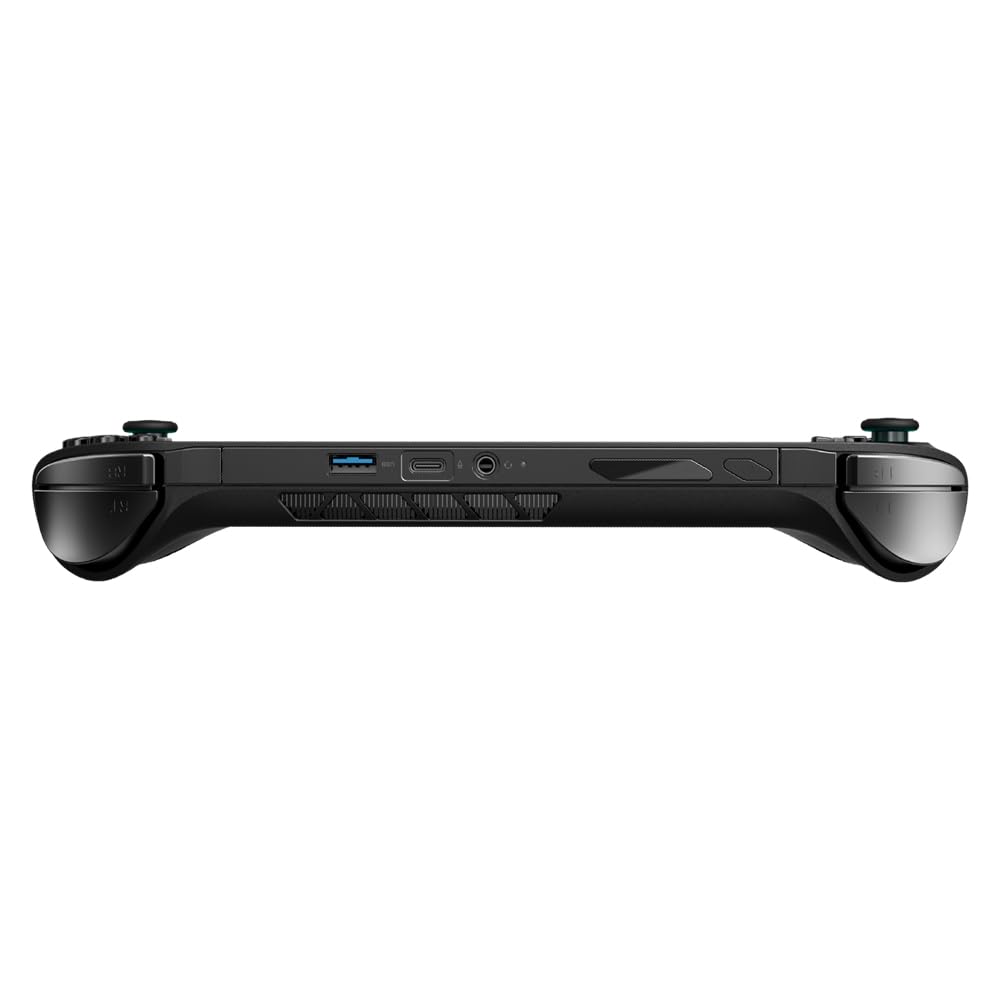
The unit boasts a sleek, modern design that is aesthetically pleasing. The black finish is not only elegant but also practical, as it tends to show less wear and tear than lighter colors.
Comfortable Controls
Ergonomics play a significant role in long gaming sessions. The Onexfly F1 PRO is designed with this in mind. Its controls are placed conveniently, so you can play comfortably for hours without straining your hands or fingers.
Conclusion
If you’re looking for a portable gaming solution that combines power, excellent visuals, stunning audio, and great ergonomics, the Onexfly F1 PRO stands out. Its high specifications ensure you can handle multiple tasks and run demanding games smoothly.
The large battery capacity means you can game without constantly needing to recharge, while features like the OLED screen and Harman-certified audio make gameplay immersive and engaging.
The setup process is easy, and maintenance is straightforward, meaning you can focus more on playing and less on troubleshooting. In a world where gaming often requires significant commitment in terms of time and resources, having a versatile handheld option like the Onexfly F1 PRO can truly enhance your gaming lifestyle.
With every feature, you’ll find that this device has been meticulously crafted to meet the demands of modern gamers. If you trust your gaming experience to the Onexfly F1 PRO, you’re certainly making a commendable choice in pursuing the ultimate portable gaming experience.
Disclosure: As an Amazon Associate, I earn from qualifying purchases.