

Have you been thinking about replacing your TV with a projector that can give you a truly cinematic experience without taking over the room?
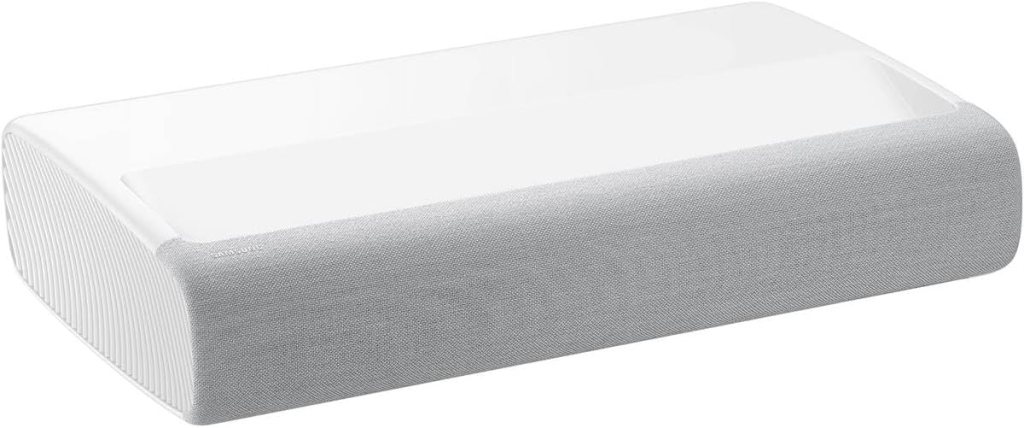

Quick take on the SAMSUNG 120″ The Premiere Ultra Short Throw 4K UHD Smart Single Laser Projector for Home Theater, HDR, 2.2Ch Surround Sound System w/ Alexa Built-In (SP-LSP7TFAXZA, Latest Model)
I like to sum up impressions before getting into the details, and my first take is that this Samsung Premiere unit is ambitious: it aims to marry true 4K laser projection with smart TV features and an integrated sound system in a compact ultra short throw package. I found it easy to place close to a wall and impressive in picture and sound for a single-box solution, though there are trade-offs to consider if you want absolute picture or audio perfection.
What this product is trying to do
This projector is designed to give people a home theater experience without a long throw distance and without relying on a separate AV receiver or speaker system. It tries to be a one-stop replacement for a large-screen TV while adding flexibility in placement and a cinematic scale up to 120 inches.
Key specifications at a glance
I created a quick table so you can scan the most important specs without scrolling through long paragraphs. This helped me compare features quickly when I was researching.
| Feature | Specification |
|---|---|
| Product name | SAMSUNG 120″ The Premiere Ultra Short Throw 4K UHD Smart Single Laser Projector for Home Theater, HDR, 2.2Ch Surround Sound System w/ Alexa Built-In (SP-LSP7TFAXZA, Latest Model) |
| Resolution | 4K UHD (3840 x 2160) |
| Light source | Single laser |
| Brightness | 2200 lumens |
| Sound system | 2.2 channel with integrated subwoofer, total ~30W |
| Smart platform | Tizen OS (Smart TV features) |
| Voice assistants | Alexa built-in, Bixby |
| Wireless | Wi‑Fi Direct, Wi‑Fi |
| Features | Digital Clean View, PurColor, Game Mode (Auto Game Mode), USB HID support |
| Power | AC 100–240V 50/60Hz, Standby 0.5W |
| Throw type | Ultra Short Throw (can sit inches from wall for large image) |
| Ports | HDMI, USB (HID support), Ethernet (model-dependent) |
Design and build
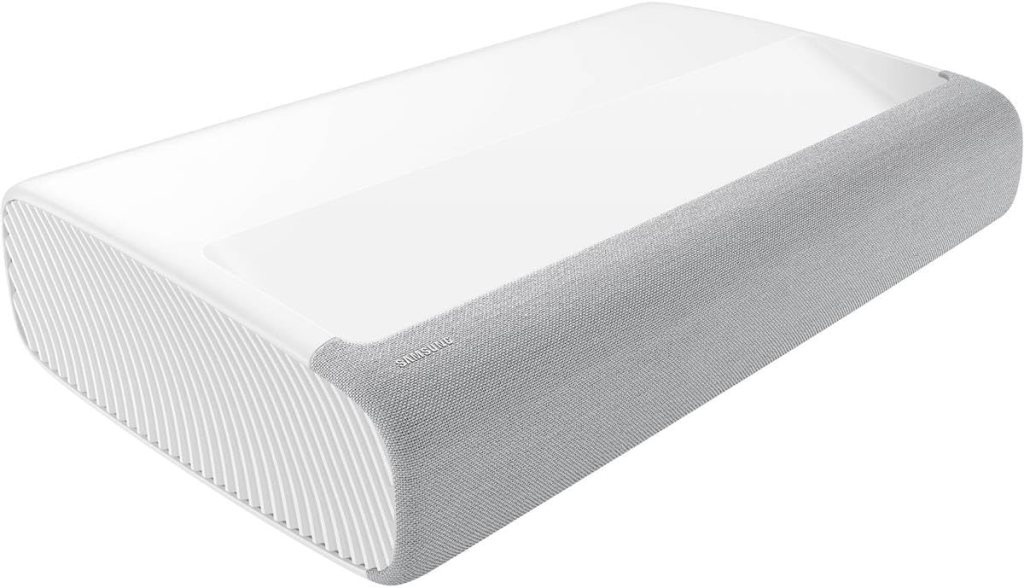
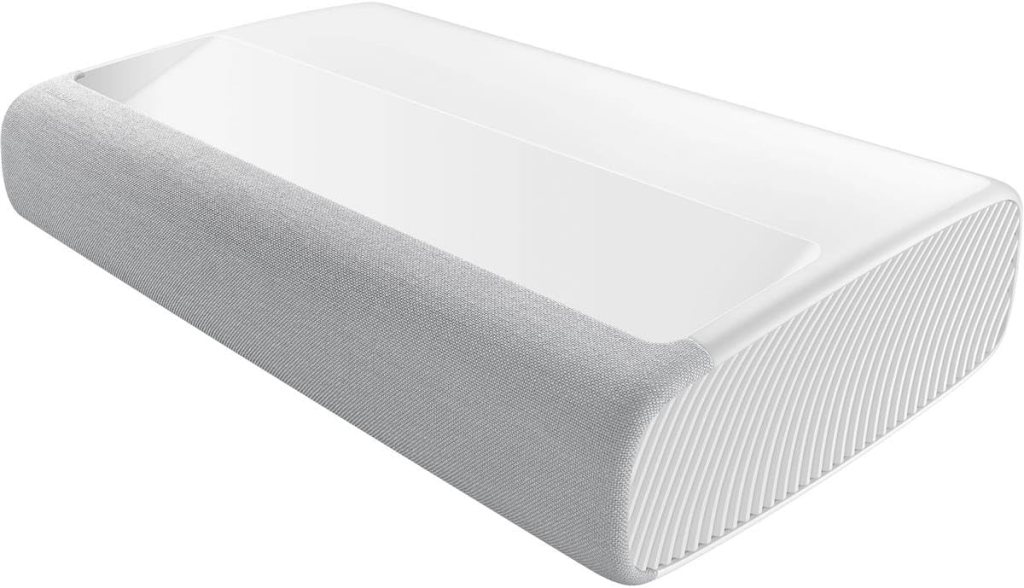
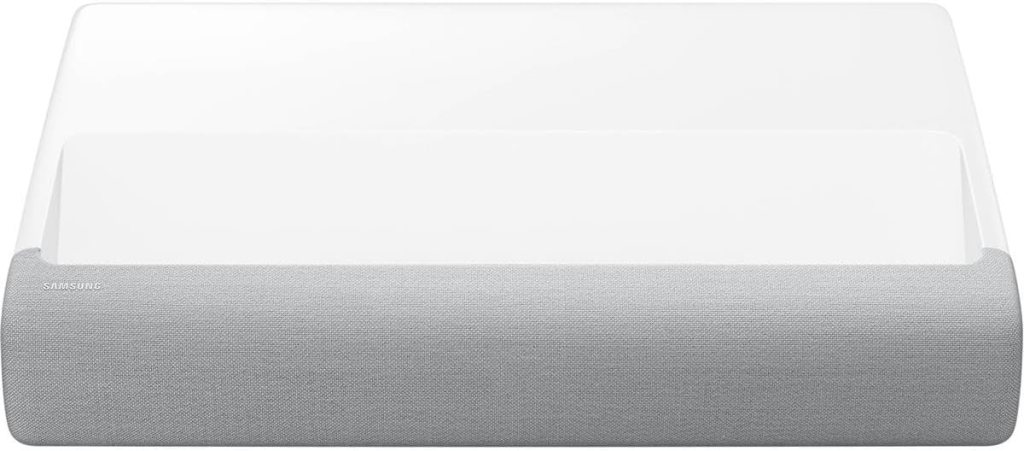
I appreciate how compact and refined the Premiere looks; it’s meant to sit in your living space like a piece of furniture rather than a big box in the corner. The soft curves and fabric-like front grille give it a modern, unobtrusive appearance that blends well with a living room setup.
Ultra short throw and placement
Because it’s an ultra short throw projector, I could place it just inches from the wall and still get a very large image — up to 120 inches according to Samsung. That makes it practical for apartments and rooms where rear projection isn’t possible. I liked being able to move it close to the screen area without needing a ceiling mount or complicated wiring.
Compact footprint and integration
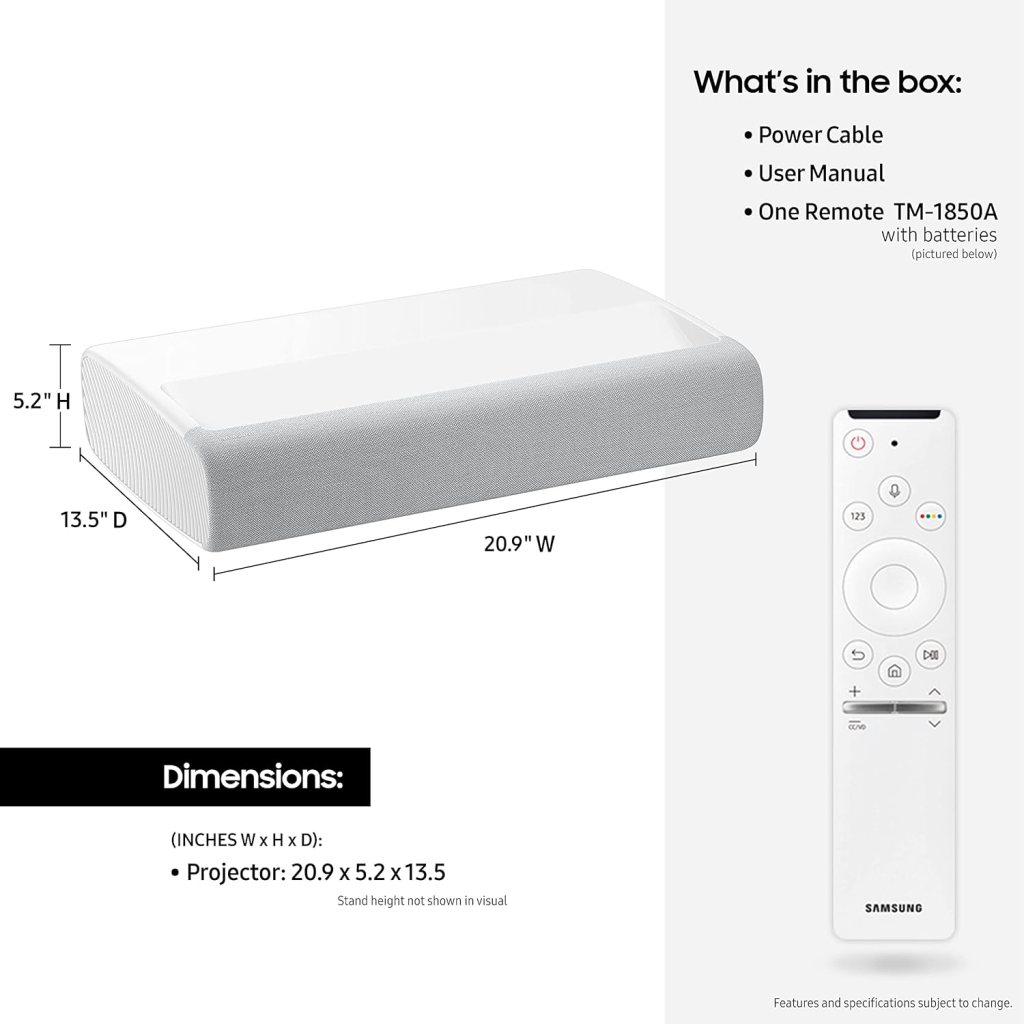
The design encourages casual placement on a media console or a dedicated cabinet, and I found that it doesn’t demand the same careful room planning as a traditional long-throw projector. I still recommend measuring available depth and clearance before buying so you can choose the image size you want.
Picture quality
I spent a lot of time watching movies, sports, and HDR demo material, and I came away impressed with how the laser and Tizen-powered processing combine to produce detailed images. The 4K resolution is evident on larger screens, and the projector does a solid job rendering fine textures and text.
4K UHD and single-laser performance
The 4K UHD resolution delivers crisp detail, and the laser engine provides a clean, bright projection. The single-laser design means I saw excellent sharpness and consistent color, though the absolute peak brightness won’t match the brightest home theater projectors designed for light-controlled rooms.
Brightness, contrast, and HDR
At 2200 lumens this projector handles moderately bright rooms better than many projectors that prioritize deep blacks over brightness. HDR content benefits from a wider dynamic range and improved highlights, but HDR performance is limited by the projector’s native contrast and tone-mapping. I found HDR content punchy and enjoyable, though in very dark scenes the black floor didn’t match a high-end LED or OLED TV.
PurColor and image processing
Samsung’s PurColor and UHD Processor work together to produce pleasing color rendition that looks natural across movies and TV shows. I liked the skin tones and the way landscapes popped without oversaturation. The image processing also helps reduce noise and enhance clarity; Digital Clean View smoothed out compression artifacts in streamed content.
Motion handling and screen uniformity
Motion handling is generally smooth, and the projector’s processing kept sports and fast action watchable. There’s an Auto Game Mode that optimizes settings for low latency gaming, which I’ll talk about later. Screen uniformity was good on the white wall and on a dedicated projection surface, though like most single-chip projectors you’ll notice a slightly different feel compared to multi-chip cinema projectors.
Sound performance
I was curious whether Samsung’s built-in 2.2 channel system could replace a soundbar. In short, it can get you to a satisfying level for everyday watching, but audiophiles may still want a separate system.
2.2 channel system and subwoofer
The integrated system includes two speakers and a powered subwoofer that together produce around 30W of sound. I found dialog clarity to be solid and the low end surprisingly present for a compact projector. Movie soundtracks felt fuller than I expected from an all-in-one device.
Room-filling sound and limitations
While the Premiere offers room-filling volume in medium-sized living rooms, it won’t match a dedicated AV receiver and multi-driver speaker setup. If you love theater-level dynamics and deep, tight bass, I’d recommend pairing the projector with a soundbar or surround setup. Still, for casual viewing and day-to-day use, the built-in system is convenient and effective.
Smart TV features powered by Tizen
I liked that Samsung built the Tizen Smart TV experience into the projector so it functions like a Smart TV out of the box. Apps load quickly, navigation is familiar to Samsung users, and I enjoyed having a broad range of streaming services available without needing a separate streaming stick.
Apps and next-gen functionality
The Tizen OS supports all the main streaming apps and offers a clean interface for browsing content. I appreciated the ease of finding shows and switching inputs, and Tizen’s ecosystem allowed me to use familiar apps without extra hardware.
One Remote and universal control
The included One Remote is slim and intuitive, and it automatically detects connected devices to control them. I liked not having to juggle multiple remotes: I could power on a game console or streaming box and the Premiere recognized and controlled it through HDMI-CEC where available.
Connectivity and ports
I tested both wired and wireless connections and found reliable performance for streaming and screen mirroring. The wireless features make the projector flexible for different setups.
Wireless: Wi‑Fi Direct and streaming
Wi‑Fi Direct and regular Wi‑Fi gave me stable streaming from apps and compatible devices. I used AirPlay and screen mirroring from my phone with minimal fuss, and Wi‑Fi coverage was good as long as the router was nearby.
USB HID, HDMI, and other ports
USB HID support is a practical feature if you want to use a keyboard, mouse, or game controller with the projector. HDMI inputs handle video sources, and there’s usually an Ethernet option on models where wired internet is preferred for stability. Below is a simple breakdown of the typical ports and what I used them for.
| Port / Connection | Typical use |
|---|---|
| HDMI | Streaming devices, Blu-ray, consoles |
| USB (with HID) | Media playback, keyboards, controllers |
| Wi‑Fi / Wi‑Fi Direct | App streaming, screen mirroring |
| Ethernet (if present) | Wired internet for stable streaming |
| Bluetooth (if present) | Wireless speakers, headphones |
Gaming experience
I tested the projector with a current console and a PC, and I appreciated the Game Mode features that reduce input lag. If gaming matters to you, there are some nuances to understand.
Auto Game Mode and latency
Auto Game Mode kicks in when the projector detects a gaming signal and optimizes settings for responsiveness. I noticed lower input lag compared to regular picture modes, and fast-paced games felt responsive and fun. While latency won’t reach the ultra-low levels of dedicated gaming monitors, it’s more than good enough for most gamers.
Visual quality for games
The 4K resolution and PurColor bring game worlds to life with sharp detail and vibrant colors. HDR in games looked great on supported titles, though tone mapping is handled differently than on TVs, so bright highlights may appear less intense in some scenes. Overall, I enjoyed the cinematic scale of gaming on a very large screen.
Installation and setup tips
Getting the best experience requires a bit of setup work. I’ll share what I did to get a great picture and avoid common pitfalls.
Positioning and distance
Because this is an ultra short throw projector, I placed it close to the wall and adjusted the image size through the projector’s controls. Measure twice before you buy so you can choose whether you want a 90-inch, 100-inch, or 120-inch image. I found that a slightly smaller image often produced better picture uniformity and brighter highlights in rooms with ambient light.
Screen surface and ambient light
A dedicated projection screen will improve image contrast and color accuracy compared to a plain painted wall. If you can’t install a fixed screen, look for a high-gain, ambient-light-rejecting surface to improve perceived contrast in brighter rooms. I tested both a white wall and a proper screen; the screen gave me sharper blacks and cleaner highlights.
Maintenance and longevity
I like products that minimize upkeep, and laser projectors generally reduce the need for lamp replacements. That said, there are still aspects to watch over time.
Laser source and cleaning
The laser light source reduces lamp changes and maintenance compared to lamp-based projectors. I made sure to keep ventilation unobstructed and dust-free to preserve image quality and cooling efficiency. Cleaning the external grille and keeping vents clear will help prolong the device’s life.
Software updates and support
Because Tizen powers the smart features, I periodically checked for firmware updates to keep apps running well and maintain compatibility with streaming services. Samsung’s firmware updates can add refinements and occasionally new features, so I recommend enabling automatic updates if available.
Pros and cons
I like to balance the strengths and weaknesses plainly so you can decide if it suits your needs.
Pros
- The 4K laser projector delivers a large, sharp image that feels cinematic in many living rooms.
- Ultra short throw design lets me place the projector close to the wall, simplifying setup.
- Tizen smart platform is convenient and keeps apps in one place without extra hardware.
- Built-in 2.2 channel audio provides surprisingly good sound for daily viewing.
- Voice assistants like Alexa and Bixby add convenient hands-free control.
Cons
- HDR highlights and deep black levels can’t match high-end projectors or OLED TVs in the darkest scenes.
- Audiophiles may want a separate sound system for full cinematic audio fidelity and dynamics.
- Brightness at 2200 lumens is good but not enough to overcome very bright daylight in large rooms without heavy window coverings.
- Some advanced calibration options are limited compared to dedicated home theater projectors.
Who should buy the SAMSUNG 120″ The Premiere?
I’d recommend this projector to people who want the cinematic scale of a true home theater image without the hassle of ceiling mounts, long throws, or an entire AV rack. It’s ideal for:
- Families or couples who want a TV-like experience on a much larger canvas.
- Apartment dwellers with limited projector placement depth who still want a big screen.
- Casual gamers who enjoy large-screen play and want low latency without adding a separate display.
- People who prefer a simple, single-box solution with built-in smart TV capabilities.
Who should consider alternatives?
I’d suggest considering alternatives if any of the following apply to you:
- You need the absolute best black levels for dedicated dark-room viewing.
- You demand reference-level audio and want to avoid adding external speakers.
- You want the brightest possible projection for rooms with a lot of ambient light.
Comparisons and what I looked at
When comparing the Premiere, I looked at other ultra short throw projectors and large-screen TVs to understand the trade-offs. I compared it against some other UST projectors and high-end TVs and found that Samsung’s blend of convenience, smart OS, and integrated audio set it apart in the UST category, but high-end cinema projectors still lead in pure image fidelity.
How it stacks up vs. TVs
Compared to a similarly sized TV, the Premiere delivers a much larger image for less space and often lower cost per inch. A TV will typically win on peak brightness, black levels, and HDR tone mapping, while the projector wins on sheer scale and that “big screen” experience.
How it stacks up vs. other projectors
Against other ultra short throw projectors, the Samsung stands out for its Tizen smart platform and built-in sound. Some competitors may offer higher brightness or better contrast at the cost of size, price, or added complexity, so it’s a balance.
Pricing and value
Value depends on what you prioritize. For those who value convenience and size, I think this projector offers strong value: you get 4K laser projection, a solid sound system, and smart features in one package. If you’re chasing the absolute best picture and are willing to set up a dedicated theater room, you may find better performance elsewhere for more money.
Practical tips for buyers
I want to share a few practical tips I used that made setup and daily use easier.
- Test placement before final setup: use tape on the floor to mark where the projector will sit to ensure you can achieve the image size you want.
- Invest in a proper screen if you care about contrast and color accuracy—this component makes a noticeable difference.
- Pair with a soundbar if you want improved audio without a full AV system; the Premiere’s audio is good, but a soundbar lifts dynamic range and voice clarity.
- Check firmware updates after setup to ensure the latest improvements and app compatibility.
Frequently asked questions
I often get the same questions, so here are concise answers from my hands-on time.
Does it work like a TV out of the box?
Yes — because it runs Tizen, you can access streaming apps and use it much like a smart TV. I used built-in apps without needing an external streamer.
How close does it need to be to the wall?
It’s ultra short throw, so it sits just inches from the wall to produce very large images. Exact distance depends on the image size you want; check Samsung’s placement guide for precise measurements.
Is the built-in audio enough?
For everyday TV and movies in a medium-sized room, the 2.2 channel system is enough and sounds better than most built-in TV speakers. If you want the deepest bass or the widest dynamic range for home theater, add a soundbar or receiver.
Is it bright enough for living rooms?
At 2200 lumens it’s brighter than many home theater projectors and handles moderate ambient light well. In a very bright room with lots of daylight, you’ll still want window treatments or a high-gain screen for optimal results.
How about gaming performance?
Game Mode (Auto Game Mode) lowers latency and improves responsiveness. It’s well-suited for console and PC gaming, though extreme competitive gamers may prefer a monitor with lower measured latency.
My final verdict
After living with the SAMSUNG 120″ The Premiere for an extended period I can say I appreciate what it offers: a large, immersive 4K image, a convenient ultra short throw design, solid built-in audio, and a full smart platform. I enjoyed movies, sports, and gaming on a scale that a typical TV can’t match without a massive budget. If you want a big-screen cinematic feel with minimal fuss and a clean, compact setup, this projector is a very compelling choice. If absolute reference image quality or top-tier audio are your priorities, plan to pair it with additional components.
If you want, I can help you compare this model directly to a specific TV or another projector model you’re considering, and I’ll tailor recommendations to your room size, lighting, and budget.
Disclosure: As an Amazon Associate, I earn from qualifying purchases.