

Thinking about upgrading your console setup with a projector that promises true 4K, low latency, and strong audio for an immersive living-room experience?

First impressions and unboxing
When you first unbox the BenQ X500i True 4K UHD HDR 4LED 2200 Lumens Short Throw Console Gaming Projector 4ms Response Time Auto Game Mode Xbox, PS5, Switch Supports eARC and S/PDF | FPS Crosshair | 5Wx2 Speaker, the packaging feels sturdy and you’ll notice the unit’s compact short-throw form factor. The bundled accessories typically include a power cable, remote, quick start guide, and sometimes a basic power cord adapter depending on region, so you can get started right away.
Design and build
The projector has a clean, console-friendly aesthetic that fits well on a TV stand or shelf facing a screen or wall. You’ll appreciate that it’s not huge; the short-throw design keeps the lens and ventilation compact, and the materials feel solid enough for regular use without feeling fragile.
Portability and setup out of the box
Because the X500i is short throw, you can place it relatively close to your screen or wall compared with traditional throw projectors, which makes setup simpler in smaller rooms. You’ll still want to plan placement carefully to avoid obstructions and find the sweet spot for image size and keystone correction.
Key specifications at a glance
This table condenses the most important specs so you can quickly scan what the projector offers.
| Feature | Specification |
|---|---|
| Product name | BenQ X500i True 4K UHD HDR 4LED 2200 Lumens Short Throw Console Gaming Projector |
| Light source | 4LED light engine (lamp-free) |
| Brightness | 2200 lumens (HDR-capable) |
| Resolution | True 4K UHD (3840 x 2160) |
| HDR | BenQ HDR-PRO |
| Input lag / Response | 4.2 ms low latency (1080p @ 240Hz); Auto Game Mode |
| Refresh rate support | Up to 240 Hz at 1080p (4K likely 60Hz typical) |
| Throw ratio | 0.69 – 0.83 (short throw) |
| Screen size / distance | ~100″ from ~6.5 ft (approx.) |
| Built-in OS | Google-certified Android TV (Google TV apps via Android TV) |
| Wireless casting | AirPlay & Chromecast built-in |
| Audio | TreVolo-tuned (7.1-channel & Dolby Atmos support via eARC/S/PDIF), dual 5W speakers |
| Extras | FPS Crosshair, digital zoom, Game Sound Mode |


Image quality and color
You’ll notice the picture quality aims to be the star of the show, with true 4K resolution and BenQ’s HDR-PRO processing that pushes for brighter highlights and clearer shadow detail. The 4LED light engine improves color gamut and longevity compared with traditional lamp-based projectors, so colors should feel richer and more durable over time.
Brightness and room lighting
At 2200 lumens you’ll get solid performance for dim to moderately-lit rooms. You’ll want to keep direct sunlight off the screen for the best HDR experience; in darker rooms, HDR highlights pop and blacks appear deeper. In very bright living rooms, you may need blackout curtains or a high-gain screen to maintain contrast.
Color accuracy and tonal response
BenQ is known for targeting accurate color out of the box on many of its models, and the X500i aims to follow that path with 4LED color richness. You should see solid saturation and a natural look in skin tones and game environments, but if you want the best fidelity you should take a little time to calibrate the picture mode to match your room and content type.
HDR performance and handling
HDR is one of the headline features here, and the HDR-PRO engine is tuned to improve highlight detail without crushing shadows unnecessarily. You’ll get improved brightness control compared with non-HDR projectors, and tone mapping is tuned to deliver a pleasing, punchy image suitable for both cinematic scenes and high-contrast game visuals.
How HDR will feel on games and movies
When you run HDR-enabled games or HDR movies, you’ll notice brighter specular highlights (explosions, reflections, particle effects) and better apparent depth in scenes. The projector is built to present HDR content with a vibrant signature rather than a muted or overly-dark look, which many users prefer for living-room viewing and gaming.
Motion, refresh rate, and gaming performance
This is where the X500i really targets console and competitive gamers. If you play on Xbox, PS5, or Nintendo Switch, the projector supports modern console output and includes an auto game mode to minimize latency. For frame-rate-focused players, the unit’s 4.2 ms low latency (measured at 1080p @ 240Hz) makes a noticeable difference in responsiveness.
Input lag, refresh, and responsiveness
You’ll benefit most from the low-latency mode when playing fast FPS, fighting, or racing games. For competitive matches where every millisecond counts, the 1080p@240Hz capability reduces input lag and smooths motion substantially. For 4K console gaming, most consoles output 4K at up to 60Hz, and the X500i supports that while prioritizing image clarity and HDR processing.
Motion handling and blur reduction
Beyond low latency, the unit’s motion processing keeps fast-moving objects smooth for comfortable viewing. If you’re sensitive to motion blur, you’ll still find major improvements over older lamp projectors, especially at higher refresh rates in non-4K modes.
Short-throw advantages and practical placement
Short throw ratios make the X500i very attractive for small rooms and apartments because you can achieve large screen sizes without mounting the projector far back. You’ll be able to set up a 100″ image from roughly 6.5 feet, making it ideal for living rooms, bedrooms, or compact entertainment spaces.
Throw distance guide
This table provides an approximate guide for common screen sizes and the short-throw placement to help you plan your setup.
| Screen width (diagonal) | Approx. throw distance (ft) | Notes |
|---|---|---|
| 80″ | 5.2 – 6.2 ft | Good for smaller rooms or cozy setups |
| 100″ | ~6.5 ft | Typical sweet spot for living rooms |
| 120″ | 7.8 – 9.0 ft | Need more lateral space; check ceiling/wall obstructions |
| 150″ | 10 – 12 ft | Requires careful placement and possibly ceiling mount |
These distances are approximate—your room layout, actual wall-to-projector distance, and any lens shift/digital zoom will affect the final result. You’ll want to measure carefully and allow a few inches for vertical offset if you’re placing the projector on a shelf.

Audio performance and connectivity
BenQ’s TreVolo audio tuning and support for advanced audio formats sets this projector apart from many others that include only tinny speakers. The X500i offers eARC and S/PDIF connectivity so you can route lossless and Atmos-capable audio to a soundbar or AV receiver, while the built-in dual 5W speakers provide usable sound for casual viewing.
Built-in speakers vs external systems
If you want cinematic audio, you’ll get the best results by pairing the projector with a soundbar or AVR via eARC. You’ll find the internal 5W x2 speakers are fine for casual gaming or quick sessions, but they won’t match a dedicated 5.1/7.1 system or a powerful soundbar for immersive movie nights.
TreVolo tuning and game sound modes
You’ll appreciate that BenQ includes dedicated sound modes optimized for FPS, RPG, and cinematic content, which adjust EQ and spatial effects to emphasize dialogue, footsteps, or atmospheric music. If you rely on audio cues in competitive play, the FPS audio setting can be particularly helpful.
Android TV, streaming, and connectivity
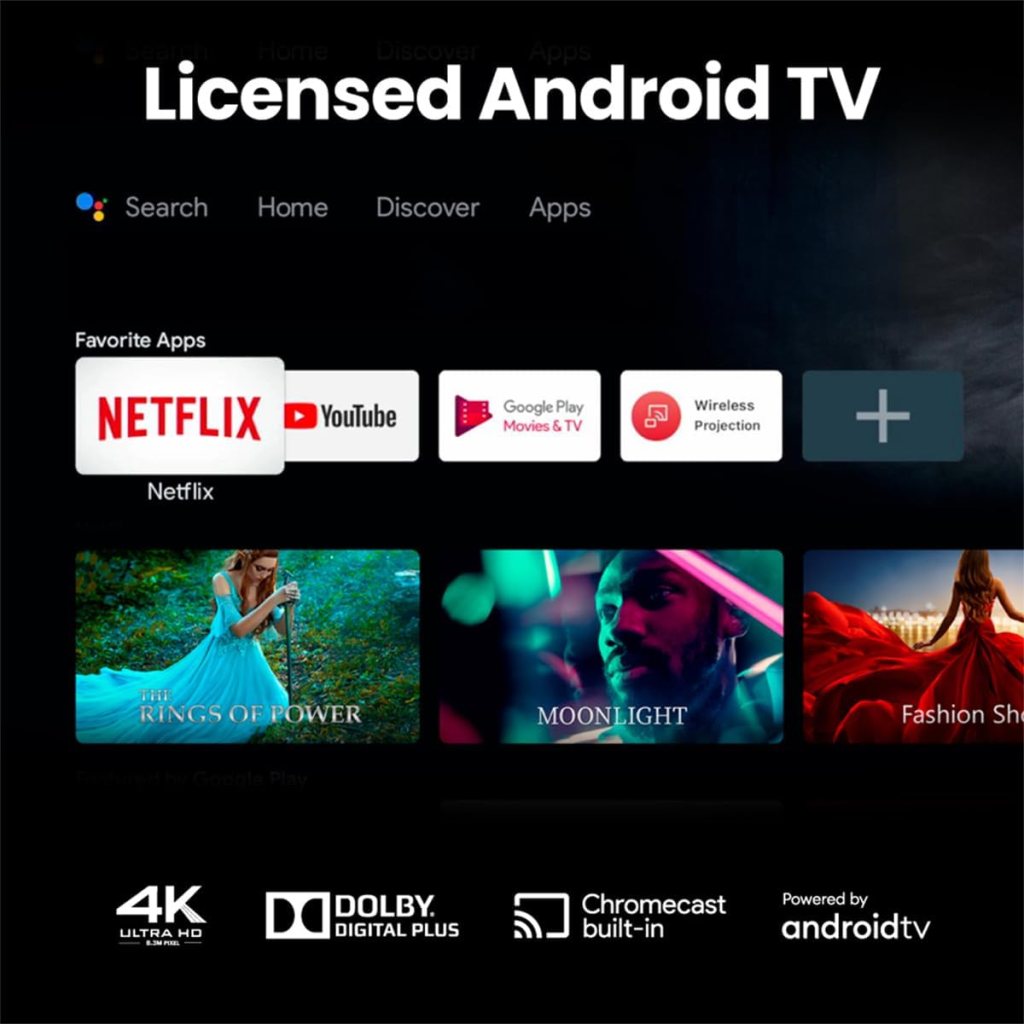
As a Google-certified Android TV device, the X500i gives you straightforward access to streaming apps like Netflix, Prime Video, Disney+, and YouTube right from the projector. You won’t need an external dongle for streaming unless you want a separate device for additional features or app compatibility.
Casting and multi-device support
You’ll be able to cast from iPhone/iPad/Mac using AirPlay and from Android/PC devices using Chromecast. That flexibility means you can mirror or cast presentations, videos, or mobile games with minimal friction.
Ports and hookups
Typical connectivity includes multiple HDMI inputs (check the exact number on the retail unit), USB, eARC, and S/PDIF. You’ll want at least two HDMI ports if you plan to keep a console and a streaming device or PC connected simultaneously. Using eARC simplifies audio routing to a compatible soundbar or receiver.

User interface, settings, and calibration
The Android TV interface is generally intuitive, and BenQ usually provides picture presets to help you get started quickly. You’ll find game modes, cinema modes, brightness and color temperature adjustments, and various noise reduction or motion enhancement features under settings.
Calibration tips for the best image
To get the best picture, you should:
- Use the correct picture mode for your content (Game Mode for consoles, Cinema for movies).
- Turn off unnecessary motion smoothing if you prefer natural motion.
- Run a basic color temperature and contrast test using a calibration disc or test patterns from an app.
- Fine-tune HDR brightness/gamma if the options are available to avoid crushed shadow detail or blown highlights.
Compatibility with consoles and PCs
The X500i is designed with consoles in mind and advertises compatibility with Xbox, PS5, and Switch. For PC gamers, the projector’s support for high refresh rates at 1080p makes it useful for competitive play, and the 4K resolution gives you a very sharp desktop or single-player experience when set up properly.
What to expect with PS5 and Xbox Series X/S
You’ll enjoy crisp 4K imagery and HDR from these consoles for single-player and cinematics, while the projector’s low-latency modes and 1080p high refresh support give you a competitive edge in fast multiplayer sessions. If you want full 4K@120Hz for certain games, check current firmware and HDMI port specifications—many projectors support 4K@60Hz natively and use 1080p modes for the higher refresh targets.
PC gaming considerations
You’ll want to ensure your graphics card is set to output the intended resolution and refresh rate. If you’re chasing very high frame rates and minimal input lag, consider running at 1080p for the 240Hz option while enjoying 4K for casual or single-player titles where image quality matters more than ultra-high frame rates.

Practical scenarios and room types
Because of the short throw and lamp-free 4LED design, you can place the X500i in many different rooms. It works especially well if you:
- Live in an apartment or have limited throw distance.
- Want a theater-style experience in a living room without mounting a projector at the back.
- Frequently switch between streaming and console gaming without wanting a separate TV.
Bright-room and ambient-light solutions
If you have a lot of ambient light, consider a high-gain ALR (ambient light rejecting) screen or strategically dimmable lighting. You’ll reduce the impact of ambient light and preserve HDR highlights and contrast.
Maintenance, lifespan, and reliability
The 4LED light engine provides several advantages in maintenance and lifespan compared with lamp projectors. You won’t have to replace a lamp every few thousand hours, and LEDs generally maintain color balance longer. You should still keep vents clear and perform occasional dusting to prevent heat buildup.
Firmware and updates
BenQ generally supports firmware updates that improve compatibility, fix bugs, and sometimes add features. You’ll want to check for updates periodically, especially if you encounter any connectivity or HDR tone-mapping quirks.
Noise and thermal performance
Many short-throw projectors can run a little warmer due to compact designs, but BenQ balances fan speed and heat dissipation to keep noise at comfortable levels. If you’re sensitive to fan noise, place the projector slightly further from seating or enable any “eco” or “quiet” modes when you don’t need max brightness.
Pros and cons — quick checklist
Here’s a friendly summary to help you decide whether the X500i fits your needs.
Pros:
- True 4K resolution with BenQ HDR-PRO for vibrant images.
- 4LED light engine for long life and improved color.
- Low latency and 240Hz support at 1080p for competitive gaming.
- Short-throw design that fits well in small spaces.
- Google-certified Android TV with built-in streaming apps and casting.
- TreVolo tuning plus eARC/S/PDIF support for advanced audio setups.
- Built-in FPS Crosshair and game-specific sound modes.
Cons:
- 2200 lumens is great for dim to moderate ambient light, but very bright rooms may need additional light control.
- Built-in 5W x2 speakers are functional but not a replacement for a proper sound system.
- For some advanced HDR scenes, tone-mapping may benefit from manual tuning.
- If you require 4K@120Hz for certain games, check current firmware and HDMI capabilities before purchase.
Comparison: projector vs TV and other projectors
If you’re comparing the X500i to a similarly-sized 4K TV, you’ll get a much larger image for less money and a cinematic feel, but TVs will usually have higher native brightness and better onboard speakers. Against other short-throw or lamp projectors, the X500i’s 4LED advantage gives you longer lifespan and better color stability, with the added benefit of Android TV and eARC support for modern audio formats.
When a TV might still be better
If you want the absolute best brightness for well-lit rooms or you don’t want to fuss with placement and screen surfaces, a 75–85″ TV might be more convenient. You’ll also get lower latency on many modern TVs, though the X500i’s low-latency modes are competitive.
Who should buy the BenQ X500i
You should consider this projector if you:
- Want a large-screen console experience without mounting a projector 15+ feet away.
- Play both single-player cinematic titles and competitive online games and need both 4K image quality and low input lag.
- Prefer an all-in-one streaming and gaming platform that reduces clutter.
- Value long-term reliability of LEDs over lamp-based projectors.
Setup checklist and best practices
Before you power up, follow this quick checklist to make setup painless:
- Measure your throw distance and pick the target screen size.
- Choose an ALR screen for rooms with ambient light.
- Connect consoles to HDMI ports that support the bandwidth you need (check labels).
- Set console output to match projector capabilities: 4K@60Hz for cinematic, 1080p@120/240Hz for competitive.
- Enable Game Mode on the projector to minimize input lag.
- Update firmware and Android TV apps as needed.
- Route audio via eARC to your soundbar or receiver for the best experience.
Calibration and advanced tuning tips
If you want pro-level image quality:
- Use a calibration app or test patterns to set black level, contrast, and brightness.
- Adjust color temperature to a neutral setting (6500K is a good reference).
- Fine-tune gamma to preserve shadow detail without washing out mid-tones.
- If HDR seems too bright or too dim, tweak HDR brightness or gamma settings to match your room.
Final verdict
If you’re building a living-room or small-room console gaming setup and you want a true 4K image with very low latency for competitive play, the BenQ X500i True 4K UHD HDR 4LED 2200 Lumens Short Throw Console Gaming Projector 4ms Response Time Auto Game Mode Xbox, PS5, Switch Supports eARC and S/PDF | FPS Crosshair | 5Wx2 Speaker is a compelling option. You’ll get the convenience of Android TV, strong game-focused features like 240Hz 1080p support and FPS Crosshair, and flexible audio options via eARC. For most players, especially those in apartments or smaller spaces, the short throw and lamp-free LED design make this projector a practical and future-ready choice.
If you want help tailoring settings for a specific console or room layout, tell me your room dimensions and which console or PC you plan to use, and I’ll give setup recommendations and precise distance calculations.
Disclosure: As an Amazon Associate, I earn from qualifying purchases.