


? Want a true big-screen experience without running cables through walls or mounting a projector to the ceiling?


Quick overview of the Hisense 100L5G-CINE100A 4K UHD Laser TV
You get a true 100-inch big-screen setup that lives on a TV stand instead of a ladder and long cables. This Ultra Short Throw (UST) projector is paired with a 100″ Ambient Light Rejecting (ALR) screen and delivers 4K HDR10 content with 2700 ANSI lumens and built-in smart features.
You’ll appreciate the convenience of an all-in-one package: a fixed-focal UST projector, a calibrated ALR screen, 30W Dolby Atmos-capable stereo speakers, Android TV, and voice assistants. Below is a quick specification snapshot so you can see the core details at a glance.
| Feature | Specification |
|---|---|
| Product name | Hisense 100L5G-CINE100A 4K UHD Laser TV, UST Ultra Short Throw Projector with 100″ ALR Screen |
| Projection size | 100-inch fixed ALR screen (included) |
| Brightness | 2700 ANSI lumens (peak) |
| Resolution | 4K UHD (3840 x 2160) |
| HDR | HDR10 support |
| Throw distance | Place projector ~11 inches from wall to get 100″ image |
| Screen type | Ambient Light Rejecting (ALR) screen |
| Sound | 30W stereo with Dolby Atmos processing |
| Smart platform | Android TV (Google Play Store, apps) |
| Voice assistants | Built-in Alexa and Google Assistant |
| Audio passthrough | eARC support for external AV receivers |
| Lens type | Ultra Short Throw, fixed focal length |
| Ideal use | Home cinema, living room big-screen TV replacement |
Design and physical setup
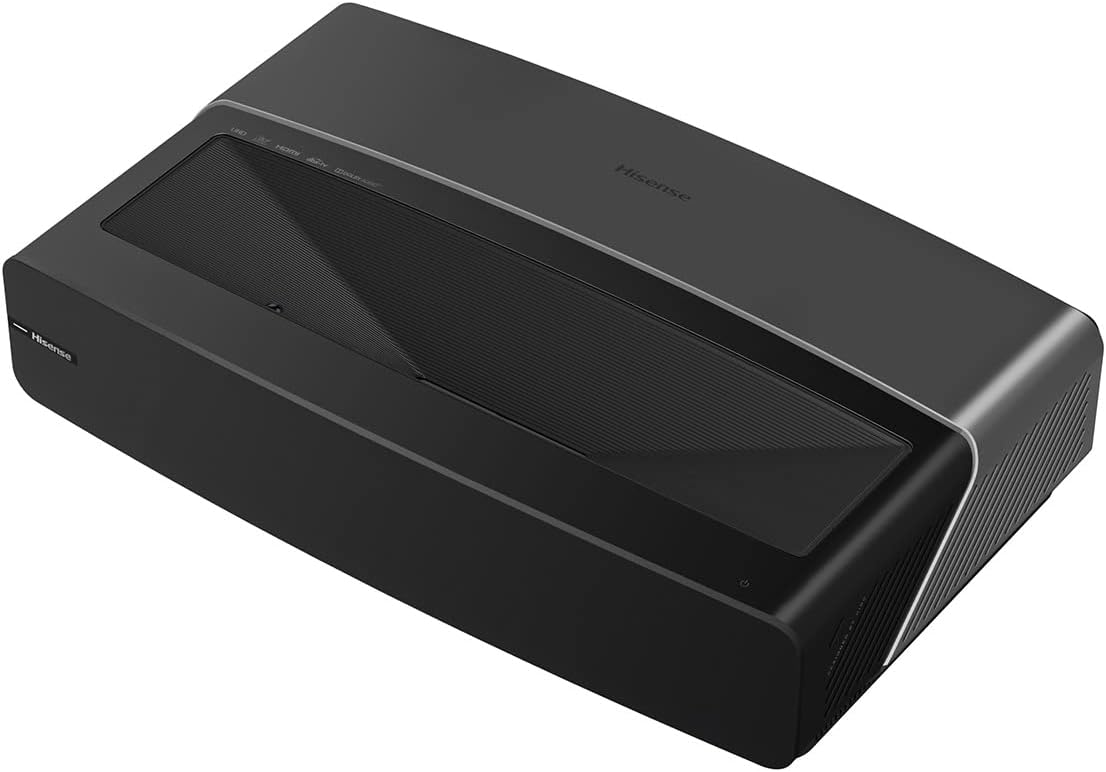
You’ll notice this is built to be simple: a low-profile chassis designed to sit on a TV stand close to the wall. The fixed-focal UST optics remove the fuss of lens shifting or keystone adjustments — once you position it, the image is stable and sharp across the screen.
Because the projector and screen are sold together, you won’t need to guess screen gain or angle. The design emphasizes minimalism: no ceiling hook, no long HDMI runs, and a single piece of furniture can hold your entire big-screen system.
The ALR screen and why it matters
The included ALR screen rejects ambient light from above and around the screen so contrast looks better in most living room conditions. You don’t have to turn off every light in the room to enjoy decent HDR highlights and deep blacks.
This specifically makes the L5G more practical for daytime TV, family rooms, or shared spaces where controlling every light source is inconvenient. The ALR surface also helps preserve color and saturation in brighter conditions compared to a standard white screen.
Placement and throw distance
You’ll place the projector roughly 11 inches from the wall or screen surface to achieve the full 100-inch image, which is radically shorter than traditional throw projectors. That makes placement on a low TV console or short stand straightforward.
Make sure the projector sits on a stable, level surface and that the ALR screen is mounted at the correct height so the picture fills the frame squarely. Because the unit uses fixed optics, vertical alignment is crucial to avoid cropping or misalignment.

Picture quality and performance
You’ll be getting 4K resolution with HDR10 support and a max brightness rating of 2700 ANSI lumens, which gives you a bright, detailed image on a 100-inch screen. The fixed-focal UST optics are tuned to deliver uniform focus across the full image, so you shouldn’t notice corner softness that sometimes plagues long-throw projectors.
Colors tend to look punchy and HDR highlights can pop, especially with the ALR screen managing ambient light. The L5G won’t replace a calibrated cinema projector for absolute reference-level color accuracy, but it’s an excellent mix of convenience and picture quality for most living rooms.
Brightness and HDR performance
At 2700 ANSI lumens peak, the projector is bright for a UST laser unit, which is evident when watching during the day or with ambient lights on. HDR10 support brings extended dynamic range to compatible content, although the perceived HDR impact is influenced by the screen, room lighting, and content mastering.
You’ll see strong highlight detail in many HDR scenes, but the projector’s contrast ratio (inherent to DLP-type UST engines) means some deep shadow detail might appear compressed compared to darker dedicated home theater projectors. The ALR screen helps with perceived contrast in lit rooms.
Color accuracy and calibration
Out of the box the colors are generally pleasing and saturated, which many viewers will prefer. If you want reference-level accuracy, you can run a colorimeter-based calibration or use prebuilt picture modes to better tune grayscale and gamma.
You’ll benefit from tweaking settings like color temp, gamma curve, and color management if you care about fidelity for movie viewing. For everyday TV and streaming, the default picture modes are often acceptable.
Motion handling and sharpness
Because the projector uses fixed optics and a laser light source, the image stays uniformly sharp across the screen. Motion processing is typically good for sports and fast action, but like many projectors, it may show motion blur with extremely high-speed content.
You’ll likely find motion-enhancement features in the settings that help reduce judder on 24fps content and smoothing on live sports. If you’re sensitive to artificial motion interpolation, you can turn those features off for a natural cinematic feel.
Sound and audio integration
The L5G ships with 30W stereo speakers and Dolby Atmos processing, which aims to create a more immersive soundstage than typical flat-panel TVs. This onboard audio is louder and fuller than most TV speakers and can handle casual movie nights without an external system.
If you’re an audiophile, the eARC support is crucial because it lets you bypass the internal processing and send the full audio signal to a compatible AV receiver or soundbar. That means you can keep the projector for picture and rely on your preferred audio system for serious listening.
Built-in Dolby Atmos and stereo setup
You’ll notice a wider soundstage and more detail thanks to the sound tuning and Dolby Atmos processing. The effect is best in smaller to medium rooms where reflections help create the surround illusion.
However, the internal speakers can’t fully replace a dedicated surround speaker system. If you want real surround immersion or heavy bass impact, plan for a separate soundbar or AVR + speaker setup — the eARC capability makes that easy.
eARC passthrough and audio flexibility
Because the L5G supports eARC, you can send lossless Dolby Atmos or DTS:X audio to an external receiver that supports it, preserving audio fidelity. That keeps the projector’s smart features and the image while routing the best possible audio to dedicated gear.
You’ll appreciate the flexibility: casual viewing can use onboard speakers, and serious movie nights can run through a home theater AVR with no compromises.

Smart features and user experience
Android TV powers the smart experience, so you’ll get a familiar interface if you’ve used Android-based smart TVs before. You can install apps from the Google Play Store, stream from your favorite services, and manage logins just like a smart TV.
Having both built-in Alexa and Google Assistant means you can control playback, search for shows, or do basic home automation tasks with voice — useful if you don’t want to wrestle with the remote.
Android TV ecosystem and apps
You’ll find major streaming apps like Netflix, Prime Video, Disney+, Hulu, and YouTube available from the Play Store; the platform also supports many third-party apps and casting protocols. Regular updates from Google and Hisense help keep the app catalog functional and secure.
If you rely on niche apps or certain region-specific services, check availability in your region before purchase. Apps on a projector run similarly to those on a smart TV, so familiarity translates well.
Voice control: Alexa and Google Assistant built-in
Built-in voice assistants mean you can use natural commands to launch apps, search content, or adjust volume. If you already use smart home devices, you can integrate the projector into routines and voice-controlled setups.
You’ll find voice accuracy depends on room acoustics and ambient noise, but for most living rooms it performs well. You can also pair it with external smart speakers if you prefer those for voice control.
Connectivity and ports
You’ll get the ports you need for a modern AV setup: HDMI inputs (one with eARC support), USB ports, and network connectivity for streaming. That allows you to connect streaming boxes, game consoles, Blu-ray players, and external storage without fuss.
Make sure your HDMI sources are compatible with the projector’s supported formats. If you plan to use a high-end audio receiver, eARC ensures you retain full audio fidelity through a single HDMI connection.
What to check when hooking up external devices
You’ll want HDMI cables certified for 4K HDR and HDCP 2.2 so protected content plays reliably. Also verify your source device settings (output resolution, HDR metadata, and refresh rates) to make sure they match the projector’s supported formats.
If you use ARC/eARC for audio, set both the projector and your receiver/soundbar to the correct HDMI audio modes. That helps prevent mismatched audio formats or missing Atmos passthrough.
Gaming performance
You’ll enjoy very large-screen gaming sessions on a 100-inch image that makes every title feel cinematic. Response time and input lag are important for competitive gaming; while Hisense doesn’t publish a formal professional gaming spec here, the platform typically offers a low-latency game mode that reduces processing and improves responsiveness.
You’ll get great visual immersion, and for casual or single-player gaming the L5G is an exciting choice. If you’re a competitive eSports player, verify measured input lag numbers from trusted reviews before committing.
Practical gaming tips
Enable game mode on the projector to reduce post-processing and latency when using consoles or PCs. Also configure your console to output the best possible resolution and refresh rate the projector supports, and test settings for HDR tone mapping so bright areas and shadows look correct.
If you’re using variable refresh rate (VRR) features, confirm compatibility with the specific console and HDMI version of the projector; manufacturer firmware updates sometimes add or improve VRR/HDMI features later.
Daytime and ambient light performance
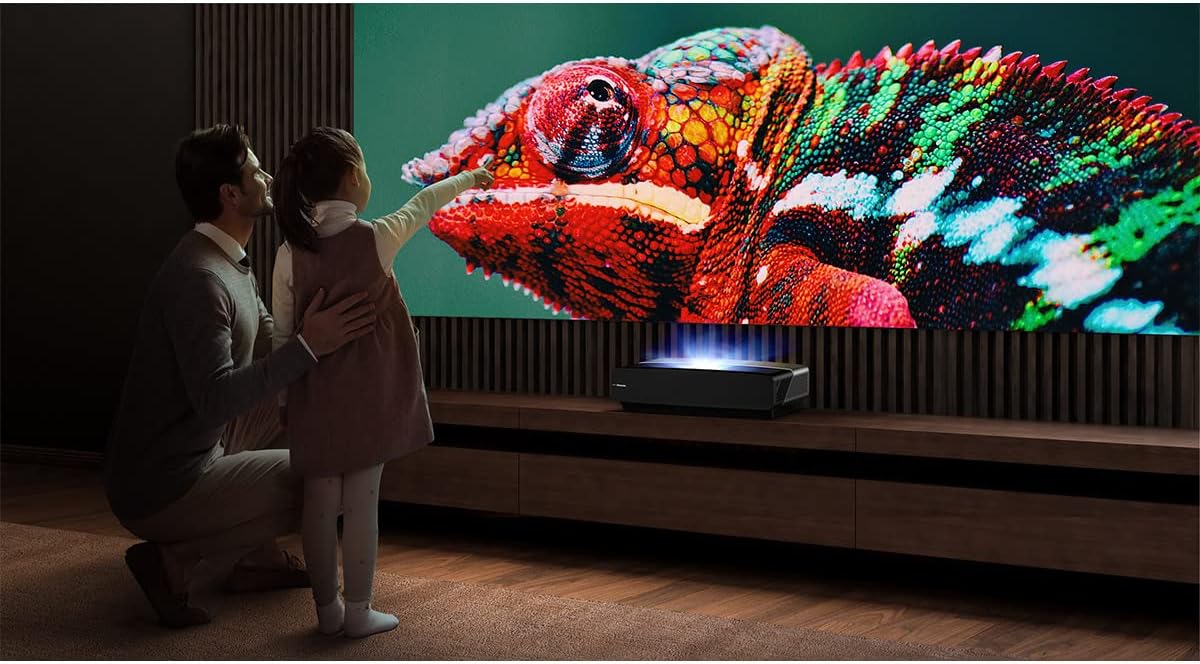
Thanks to the included ALR screen and the 2700 ANSI lumens rating, you won’t have to turn off every light to get a satisfying picture. The ALR surface actively reflects projector light while rejecting room light from above and around the screen, improving perceived contrast.
You’ll find daytime TV, sports, and news look much better than with a standard white screen in living-room lighting. For true dark-room cinematic viewing, you can still dim lights and block windows to get deeper blacks and more dramatic HDR.
Recommended room setups
Place the screen on a wall with minimal direct sunlight hitting the surface. If possible, use curtains or blinds to limit side lighting that can wash out contrast. Arrange seating at a comfortable distance — for a 100-inch screen, typical viewing distances are roughly 8–12 feet depending on your preference for immersion.
Also remember sound placement if you rely on the internal speakers: a centered listening position helps the stereo imaging and Dolby Atmos processing feel more convincing.
Maintenance, longevity, and reliability
Laser light sources have long lifespans compared to lamp-based projectors; you’ll see tens of thousands of hours before brightness declines meaningfully. That reduces the long-term maintenance cost and hassle because you don’t have to change lamps.
You should still keep the projector and screen clean and dust-free to preserve optics and prevent heat buildup. Firmware updates from Hisense can improve features and fix bugs, so connect the unit to the internet and check for updates periodically.
Basic maintenance tips
Use a soft, dry cloth to wipe the projector’s exterior and a lint-free screen cleaner for the ALR surface if needed — avoid harsh chemicals on the screen. Keep the projector vents unobstructed and ensure the cooling fans are functioning properly to maintain longevity.
If you notice brightness decline or odd behavior, check for firmware updates first and consult Hisense support for diagnostics before assuming hardware failure.
Calibration and picture tuning suggestions
If you want the most accurate image, consider a basic calibration. Adjust brightness and contrast to match your room lighting, set color temperature to a neutral setting (6500K), and use the projector’s picture modes as starting points.
You can hire a professional calibrator for full color management, or use calibration discs and an inexpensive colorimeter for a DIY approach. Even small changes — turning off dynamic contrast or reducing sharpness — can yield more natural images.
Recommended picture mode workflow
Start with a cinema or movie mode, lower brightness so black levels improve without crushing shadow detail, and reduce sharpness to avoid artificial edge enhancement. For HDR content, try HDR-specific modes and tweak the tone mapping (if available) so highlights don’t clip.
If you plan to watch both HDR and SDR content, save custom presets to quickly switch between optimal settings for each format.
Pros and cons
You’ll want to weigh the practical benefits against a few limitations before deciding.
Pros:
- Huge 100-inch image with minimal space and fuss.
- Included ALR screen improves daylight and living-room usability.
- Bright 2700 ANSI lumens for a UST laser projector.
- Built-in Android TV and voice assistants for convenience.
- 30W Dolby Atmos-capable audio with eARC passthrough for external systems.
- Laser light source offers long lifespan and consistent brightness.
Cons:
- Fixed focal length requires precise placement; limited image-size flexibility.
- Onboard speakers are good but won’t match a dedicated home theater system.
- High ambient brightness can still reduce perceived contrast compared to dark-room projectors.
- If you need maximum color-critical accuracy, professional calibration will be necessary.
Who should buy the Hisense L5G
You should consider the L5G if you want a massive living-room screen with minimal installation headaches. It’s especially well-suited for families, sports fans, casual movie watchers, and anyone who wants a couch-friendly setup instead of ceiling mounting.
If you’re designing a dedicated dark-room theater or you demand absolute reference-level color and contrast, you might want to compare higher-end, long-throw laser projectors or OLED TVs. For most people who want a plug-and-play cinema experience in a living room, the L5G is an excellent fit.
Use cases where it shines
Movie nights with the family, sports and live events that benefit from a large image, gaming sessions with immersive scale, and parties where you want a shared-screen experience are all ideal. If you frequently watch during the day with lights on, the ALR screen makes a big difference.
If you host frequent serious movie screenings with calibrated audio/video, plan on integrating the projector with a dedicated AV receiver and speakers through eARC for best results.
Troubleshooting common issues
If you get any misalignment, check that the projector is level and centered with the screen. Fixed-focal UST units rely on accurate positioning, so small offsets can cause cropping or keystone issues.
If colors look off or HDR appears crushed, try switching picture modes and check source device output settings. Firmware updates often fix streaming app issues and HDMI compatibility problems, so install updates when available.
Quick fixes for typical problems
- No picture: verify power, HDMI connections, and source output resolution.
- Washed-out image: check picture mode, ensure ALR screen is clean, and confirm projector lamp/laser health via on-screen status.
- Audio passthrough issues: enable eARC/ARC on both projector and receiver, and use the correct HDMI input for eARC on the projector.
Accessories and optional add-ons
You’ll get the screen and projector in one package, but you may want to add a quality AV receiver or soundbar for better sound. A low-profile console that positions the projector exactly 11 inches from the wall is essential for a neat setup.
Other useful accessories include HDMI 2.1 cables for future-proofing, a surge protector, universal remote if you prefer consolidated control, and a calibration disc or colorimeter if you want accurate color reproduction.
Recommended audio add-ons
A compact 3.1 or 5.1 soundbar with HDMI eARC support can dramatically improve the audio experience with minimal wiring. For full home theater performance, an AVR with separate speakers and a subwoofer will deliver the best dynamics and immersion.
Comparisons and alternatives
You’ll find other UST laser projectors and large-screen TVs in the market — each has trade-offs. Compared to a 55-inch TV, the L5G delivers three times the screen area and a more cinematic feel. Compared to higher-end cinema projectors, the L5G offers convenience, ALR optimization, and integrated smart features at a lower complexity.
If you’re comparing to other UST units, consider brightness, ALR screen quality, and smart platform. If audio fidelity is important, check eARC support and onboard speaker power.
How it stacks up against a 55-inch TV
A 100-inch projection gives you a more immersive viewing field than a 55-inch TV at comparable viewing distances. You’ll trade off absolute peak brightness and potentially contrast for scale and cinema-like impact. The L5G’s bright laser and ALR screen narrow that gap in well-lit rooms.
Price, value, and warranty considerations
Pricing for UST laser TVs varies, but the L5G aims to provide a premium-sized image with integrated screen and smart features at a competitive price point versus building a custom projector/screen system. Consider the value of the included ALR screen and long-life laser source when calculating total cost.
Check Hisense’s warranty and included support — factory warranties typically cover hardware defects for a specified period. Extended warranty or protection plans can be worth it for peace of mind with an expensive AV component.
What to ask before you buy
Confirm return policies, warranty duration, and support channels so you’re covered if something arrives defective. Ask about on-site service options in your area and whether a demo is possible in-store to judge the picture and sound firsthand.
Final recommendations and buying tips
If you want a big-screen experience with minimal setup and the convenience of smart TV features, the Hisense 100L5G-CINE100A is a strong candidate. Position it properly, pair it with a solid audio setup if you value music and home theater sound, and take advantage of the ALR screen for daytime viewing.
You’ll get a remarkably cinematic feel without the typical projector installation complexity. If you want professional-level calibration and the deepest contrast in absolute dark-room conditions, budget for an external calibrator or consider higher-end cinema projectors.
Quick checklist before purchase
- Measure your TV console and wall space to confirm the 11-inch projector placement works for a 100-inch screen.
- Verify streaming apps you use are supported on Android TV in your region.
- Decide if you’ll rely on internal speakers or plan to add an AV receiver/soundbar through eARC.
- Consider whether you want professional calibration for the best color accuracy.
Summary verdict
You’ll gain a highly convenient, large-format home theater solution that is bright, smart, and easy to install. The combination of a UST laser projector and ALR screen removes many of the traditional hassles of projector setups, while Android TV and voice assistants make the unit feel modern and accessible.
If immersive scale, daytime usability, and integrated convenience matter more than absolute reference black levels or a modular separate-screen system, the Hisense 100L5G-CINE100A offers an excellent balance of value, performance, and simplicity for your living room cinema.
Disclosure: As an Amazon Associate, I earn from qualifying purchases.