

What if you could enjoy your favorite movies, presentations, or gaming sessions without the hassle of tangled wires? The Wireless HDMI Transmitter and Receiver could be just what you need to take your viewing experience to the next level. Below, you’ll find a complete breakdown of its features and benefits, as well as tips on how to make the most of this nifty device.


Product Overview
The Wireless HDMI Transmitter and Receiver is designed to simplify how you connect your devices to a larger screen, like a TV, projector, or monitor. It offers a seamless solution for transmitting audio and video wirelessly from your laptop or PC.
Specifications
| Feature | Details |
|---|---|
| Transmission Distance | Up to 98ft (30m) |
| Delay | 0.1 seconds |
| Compatibility | HDMI, VGA |
| Power Requirements | 5V 2A for receiver; Type-C for transmitter |
| Support for Video Quality | Up to 4K 30Hz |
| Connections Included | Micro HDMI, Mini HDMI, HDMI cable, Type-C cables |
Wireless Transmission Made Easy
This device uses dual-band technology, 2.4GHz and 5GHz, to deliver high-quality video transmissions with minimal delay. The high-performance antennas enhance the signal, allowing you to move freely without losing connection quality.
Why 2.4GHz and 5GHz?
Utilizing both bands means you get better flexibility when it comes to your environment. For instance, the 5GHz band offers faster speeds for video streaming, while the 2.4GHz band provides a more stable connection over longer distances or through walls. This ensures you have the best experience whether you’re watching a movie or giving a presentation.


Wide Compatibility for Various Devices
Your wireless HDMI system works with an array of devices. This versatility gives you the freedom to connect your computer, laptop, TV box, or even a video camera.
Understanding the HDMI & VGA Interfaces
The transmitter and receiver have both HDMI and VGA interfaces, allowing you to connect to different types of displays. However, you can only use one of these interfaces at a time, so you’ll need to pick which one works best for your setup.
HDMI vs. VGA
-
HDMI:
- Offers superior audio and video quality.
- Supports modern devices and high-resolution displays.
-
VGA:
- Ideal for older projectors or monitors.
- Limited to video only and typically lower quality.
Simple Setup: Plug & Play
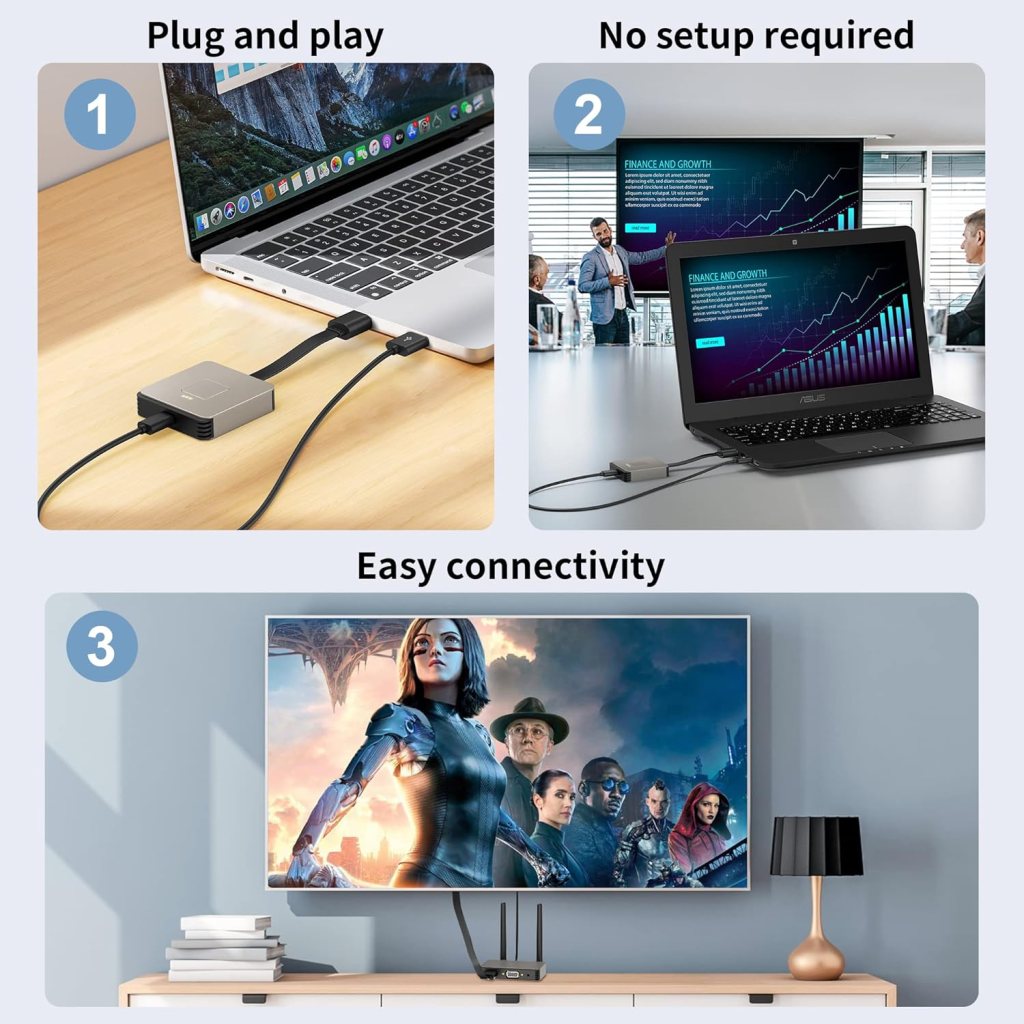
You don’t need to be a tech whiz to get this system up and running. Its plug-and-play feature means you can start streaming within minutes! There’s no need to mess around with complicated software or apps.
Step-by-Step Setup Guide
- Connect the Receiver: Plug the Wireless HDMI Receiver into your TV or projector using an HDMI cable (or VGA if needed).
- Power It Up: Use a 5V 2A power adapter to power the receiver, ensuring it gets enough juice to work efficiently.
- Connect the Transmitter: For your laptop or PC, use the HDMI interface and connect the Wireless HDMI Transmitter.
- Power the Transmitter: If your computer’s power is low, use the Type-C power cord to ensure it runs smoothly.
- Instant Playback: Once connected, your devices will find each other automatically, allowing you to start streaming video/audio right away.
Distance and Connectivity
One of the standout features of this Wireless HDMI Transmitter and Receiver is its impressive transmission distance. You can enjoy your content up to 98 feet away from the receiver.
Through-Wall Performance
Even in environments with walls, the performance remains strong. It can effectively transmit through partition walls up to 20 meters, making it ideal for larger rooms or office setups.
Quality Streaming Experience
You’ll be pleased to know that the device supports video decoding up to 4K at 30Hz, which means you can enjoy stunning visual clarity. Whether you’re streaming Netflix, TikTok, or YouTube, you’ll be treated to a high-quality and enjoyable viewing experience.
Streaming Applications to Consider
The versatility of this device lends itself well to a variety of streaming scenarios:
- Movies & TV Shows: Perfect for binge-watching on a larger screen.
- Gaming: Unleash your console or PC games onto your TV for a more immersive experience.
- Presentations: Ideal for business settings, you can easily cast your slides to a conference room screen.
Benefits of Going Wireless
Switching to a wireless setup provides you with numerous benefits that you might not have considered before.
Freedom of Movement
No more obstacles with wires! Moving around is much easier without the fear of tripping over cables or damaging them unintentionally. Whether you’re hosting a party, giving a presentation, or simply moving between rooms, you’ll appreciate the freedom.
Reduced Clutter
Going wireless results in a cleaner and more organized space. You won’t have tangled cables cluttering your floor or desks. This not only enhances aesthetics but also makes cleaning much simpler.
Customer Support and Warranty
To ease any fears you might have about your purchase, this product comes with an 18-month warranty and friendly customer service. If you run into any issues, you can feel confident that there’s support to guide you.
What to Expect from Customer Service
When you reach out for assistance, you’ll be met with friendly representatives who are ready to help you troubleshoot or answer your questions. Good customer support can make a significant difference, especially when you’re trying to get your setup running smoothly.

Final Thoughts
This Wireless HDMI Transmitter and Receiver is an excellent choice for anyone looking to eliminate the hassle of cables while enjoying high-quality streaming. Its range, compatibility, and ease of use make it suitable for both personal and professional environments.
Pros and Cons
| Pros | Cons |
|---|---|
| Wireless convenience | Not compatible with smartphones |
| High-quality 4K video support | HDMI and VGA cannot be used simultaneously |
| Easy plug-and-play setup | Requires specific power adapters |
| Impressive transmission distance | Limited compatibility with older devices |
Conclusion
Investing in a Wireless HDMI Transmitter and Receiver can transform your viewing experience. From entertainment to instructional usage in homes and businesses, this system can handle it all. With hassle-free setup and a reliable connection, you can focus on what matters most—enjoying your content.
As you make the decision to go wireless, rest assured that this choice will enhance both your productivity and leisure time. Say goodbye to the clutter of cables and hello to a more organized and enjoyable viewing experience.
Disclosure: As an Amazon Associate, I earn from qualifying purchases.